Growlizer

UK business owners researching website costs run into the same problem everywhere else: quotes ranging from a few hundred pounds to six figures, with no clear explanation of why. Here’s a realistic 2026 breakdown for the UK market specifically.

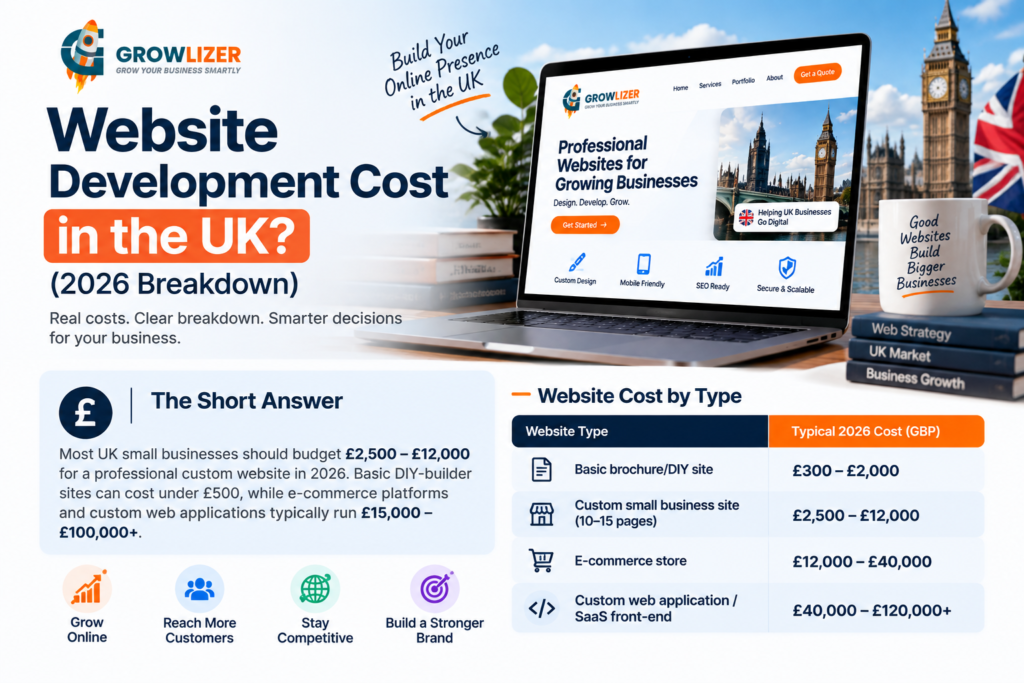
The Short Answer

Most UK small businesses should budget **£2,500 – £12,000** for a professional custom website in 2026. Basic DIY-builder sites can cost under £500, while e-commerce platforms and custom web applications typically run £15,000–£100,000+.

Website Cost by Type

Website TypeTypical 2026 Cost (GBP)
Basic brochure/DIY site£300 – £2,000
Custom small business site (10–15 pages)£2,500 – £12,000
E-commerce store£12,000 – £40,000
Custom web application / SaaS front-end£40,000 – £120,000+

What Drives Cost in the UK Market

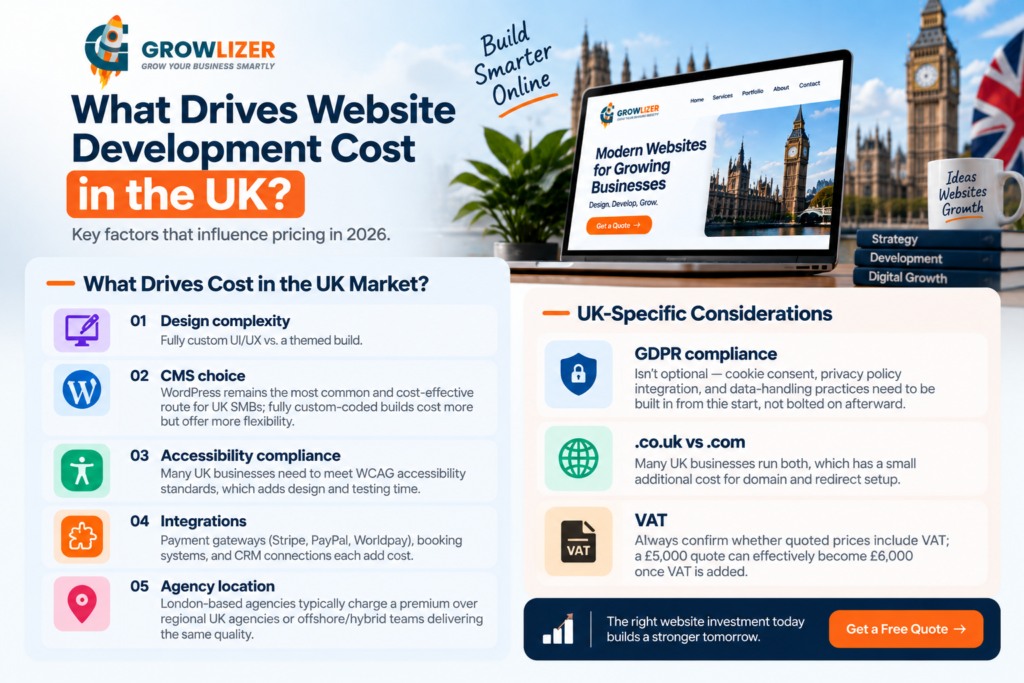
1. Design complexity — fully custom UI/UX vs. a themed build
2. CMS choice — WordPress remains the most common and cost-effective route for UK SMBs; fully custom-coded builds cost more but offer more flexibility
3. Accessibility compliance — UK businesses, particularly those serving public-sector or larger corporate clients, increasingly need to meet WCAG accessibility standards, which adds design and testing time
4. Integrations — payment gateways (Stripe, PayPal, Worldpay), booking systems, and CRM connections each add cost
5. Agency location — London-based agencies typically charge a premium over regional UK agencies or offshore/hybrid teams delivering the same quality

UK-Specific Considerations

GDPR compliance isn’t optional — cookie consent, privacy policy integration, and data-handling practices need to be built in from the start, not bolted on afterward
.co.uk vs. .com — many UK businesses run both, which has a small additional cost for domain and redirect setup
VAT — always confirm whether quoted prices include VAT; a £5,000 quote can effectively become £6,000 once VAT is added
Ongoing Costs to Budget For

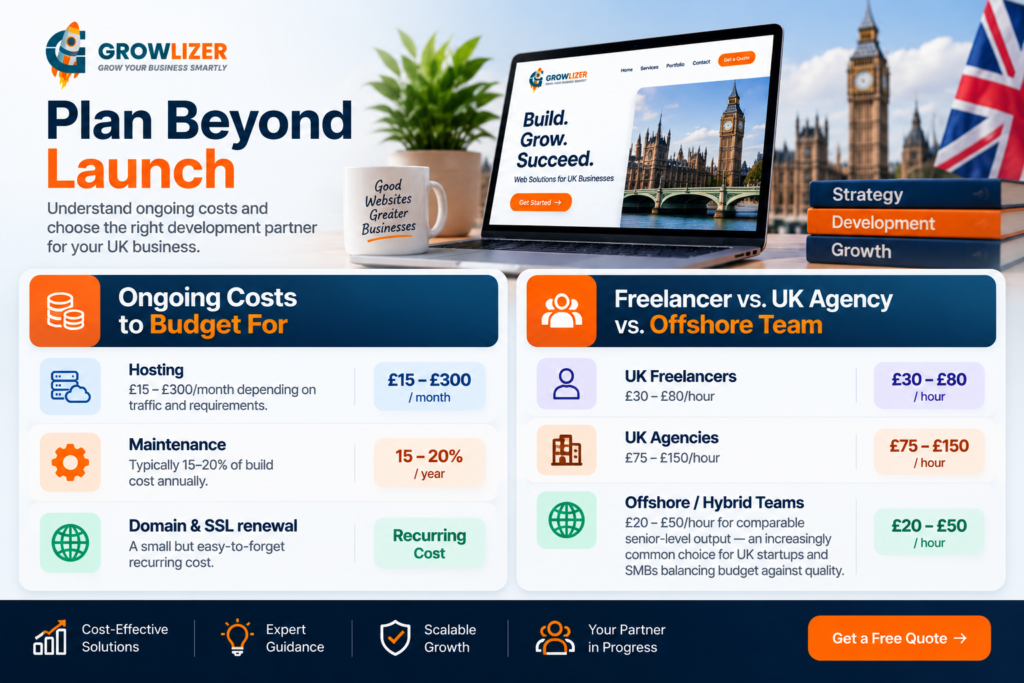
Hosting: £15–£300/month depending on traffic and requirements
Maintenance: typically 15–20% of build cost annually
Domain and SSL renewal: a small but easy-to-forget recurring cost

Freelancer vs. UK Agency vs. Offshore Team

UK freelancers: £30–£80/hour
UK agencies: £75–£150/hour
Offshore/hybrid development teams: £20–£50/hour for comparable senior-level output — an increasingly common choice for UK startups and SMBs balancing budget against quality
Common Pricing Traps

– Quotes that don’t clarify whether ongoing hosting/maintenance is included
– “SEO included” that turns out to mean basic meta tags only, not genuine keyword or technical SEO work
– Scope that expands mid-project without a clear change-order process, leading to costs well above the original quote

How to Compare Quotes Properly

Give every agency the same written scope — number of pages, required features (booking, e-commerce, member login, etc.), and whether GDPR/accessibility compliance is required. This is the only way to compare quotes on equal footing rather than comparing apples to oranges.

Final Thought

For most UK SMBs, £3,000–£10,000 buys a genuinely professional, conversion-focused website in 2026 — custom design, proper CMS, GDPR-compliant setup, and mobile optimization included. Anything significantly below that range usually means template-only work with limited customization.

Growlizer builds custom, GDPR-compliant websites for UK businesses, combining agency-quality design with a more competitive delivery cost than typical London agency rates. Get a scoped quote based on your actual requirements.
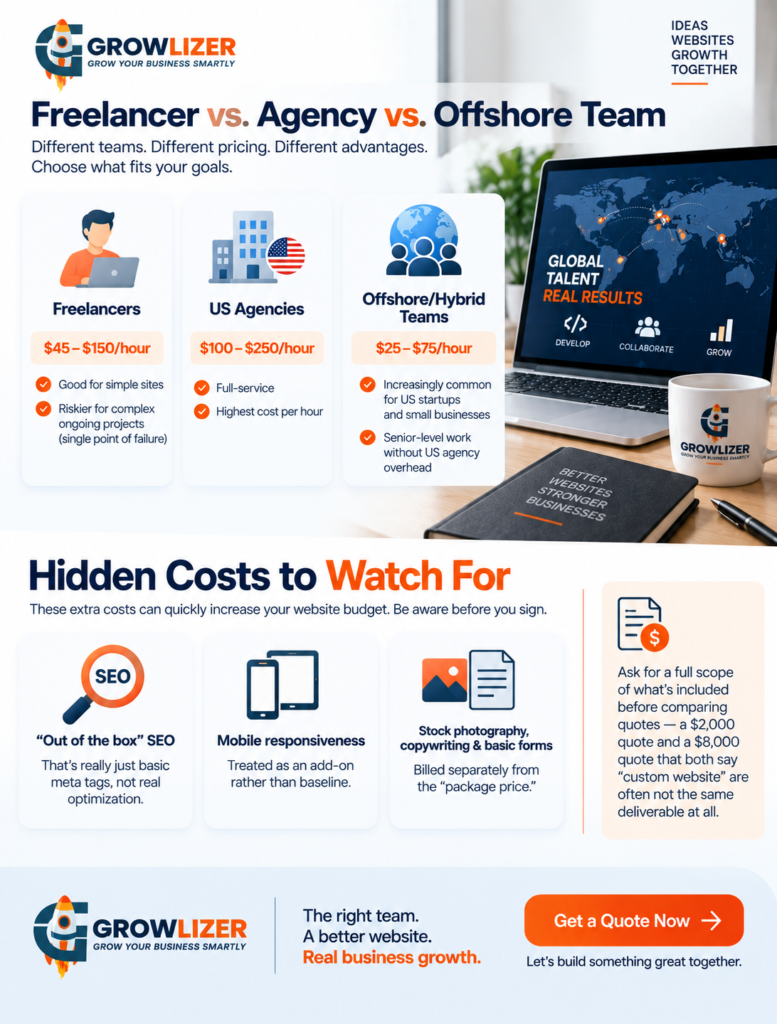
Website development cost in USA can vary dramatically in 2026, from a few hundred dollars for a basic DIY website to $100,000+ for complex e-commerce platforms and custom web applications. If you’re a US business owner planning a new website, this guide breaks down current pricing, key cost factors, ongoing expenses, and the differences between freelancers, agencies, and offshore development teams. If you’re a US business owner shopping for a new website, you’ve probably already noticed the quotes are all over the place — anywhere from a few hundred dollars to well over $100,000. Here’s an honest, current breakdown of what drives that range, so you can budget realistically before you talk to an agency.

The Short Answer

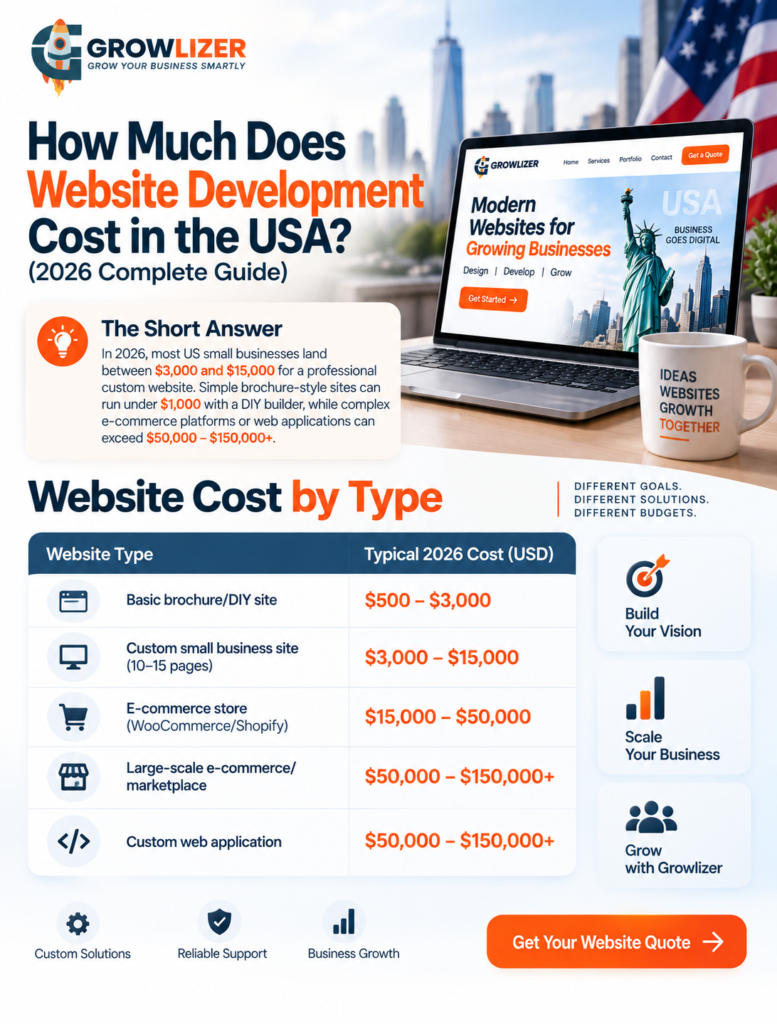
In 2026, most US small businesses land between $3,000 and $15,000 for a professional custom website. Simple brochure-style sites can run under $1,000 with a DIY builder, while complex e-commerce platforms or web applications can exceed $50,000–$150,000+

Website Cost by Type

Website TypeTypical 2026 Cost (USD)
Basic brochure/DIY site$500 – $3,000
Custom small business site (10–15 pages)$3,000 – $15,000
E-commerce store (WooCommerce/Shopify)$15,000 – $50,000
Large-scale e-commerce/marketplace$50,000 – $150,000+
Custom web application$50,000 – $150,000+

What Actually Drives the Price

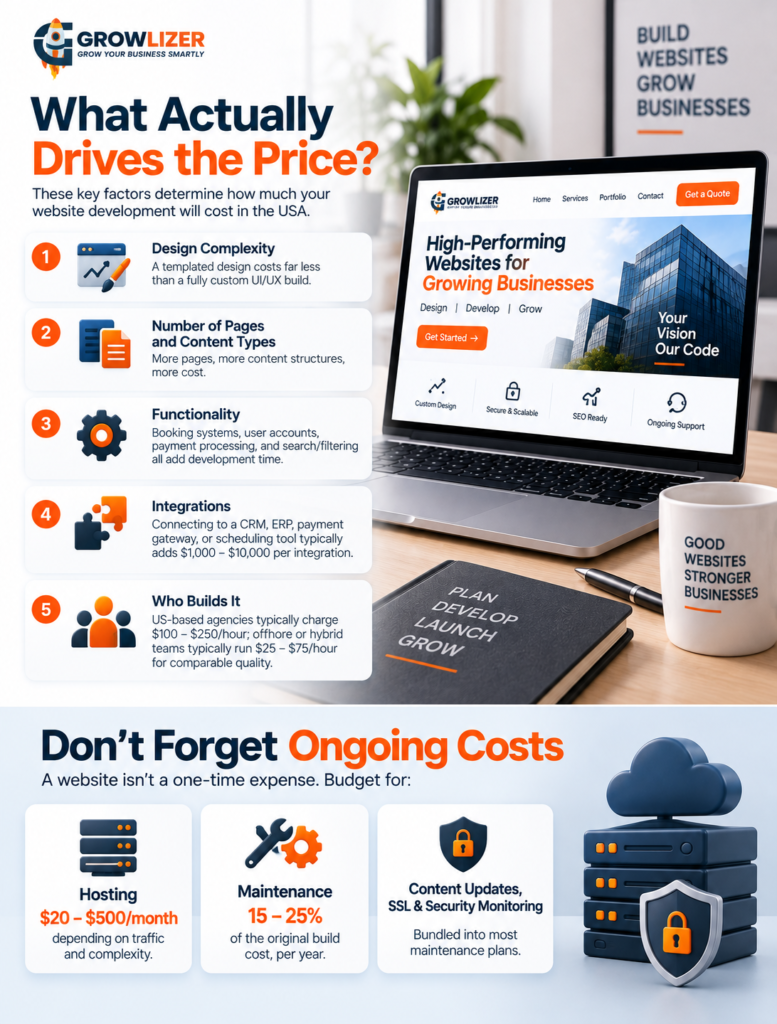
1. Design complexity — a templated design costs far less than a fully custom UI/UX build
2. Number of pages and content types — more pages, more content structures, more cost
3. Functionality — booking systems, user accounts, payment processing, and search/filtering all add development time
4. Integrations — connecting to a CRM, ERP, payment gateway, or scheduling tool typically adds $1,000–$10,000 per integration
5. Who builds it — US-based agencies typically charge $100–$250/hour; offshore or hybrid development teams typically run $25–$75/hour for comparable quality, which is why more US businesses now work with distributed teams to stretch budget without sacrificing outcome

Don’t Forget Ongoing Costs

A website isn’t a one-time expense. Budget for:

Hosting: $20–$500/month depending on traffic and complexity
Maintenance: roughly 15–25% of the original build cost, per year
Content updates, SSL, security monitoring: bundled into most maintenance plans

Businesses that skip this line item are often surprised a year later when their “finished” site needs real investment to stay secure and fast.

Freelancer vs. Agency vs. Offshore Team

Freelancers: $45–$150/hour — good for simple sites, riskier for complex ongoing projects (single point of failure)
US agencies: $100–$250/hour — full-service, but the highest cost per hour
Offshore/hybrid teams: $25–$75/hour — increasingly common for US startups and small businesses that want senior-level work without US agency overhead

Hidden Costs to Watch For

– “Out of the box” SEO that’s really just basic meta tags, not real optimization
– Mobile responsiveness treated as an add-on rather than baseline
– Stock photography, copywriting, and basic forms billed separately from the “package price”

Ask for a full scope of what’s included before comparing quotes — a $2,000 quote and a $8,000 quote that both say “custom website” are often not the same deliverable at all.

How to Get an Accurate Quote

The most reliable way to compare pricing is to give every agency you talk to the exact same scope document: number of pages, required features, whether you need e-commerce, and any integrations. Vague requests get vague — and wildly inconsistent — quotes.

Final Thought

For most US small businesses, a realistic 2026 budget for a professional, revenue-generating website sits between $5,000 and $15,000 — enough for custom design, a proper CMS, mobile optimization, and basic SEO, without paying for enterprise features you don’t need yet.

Growlizer builds custom websites and web applications for US businesses, with development teams that deliver agency-quality work at a more competitive rate than US-only agencies. Want a real quote based on your actual scope? Get in touch.

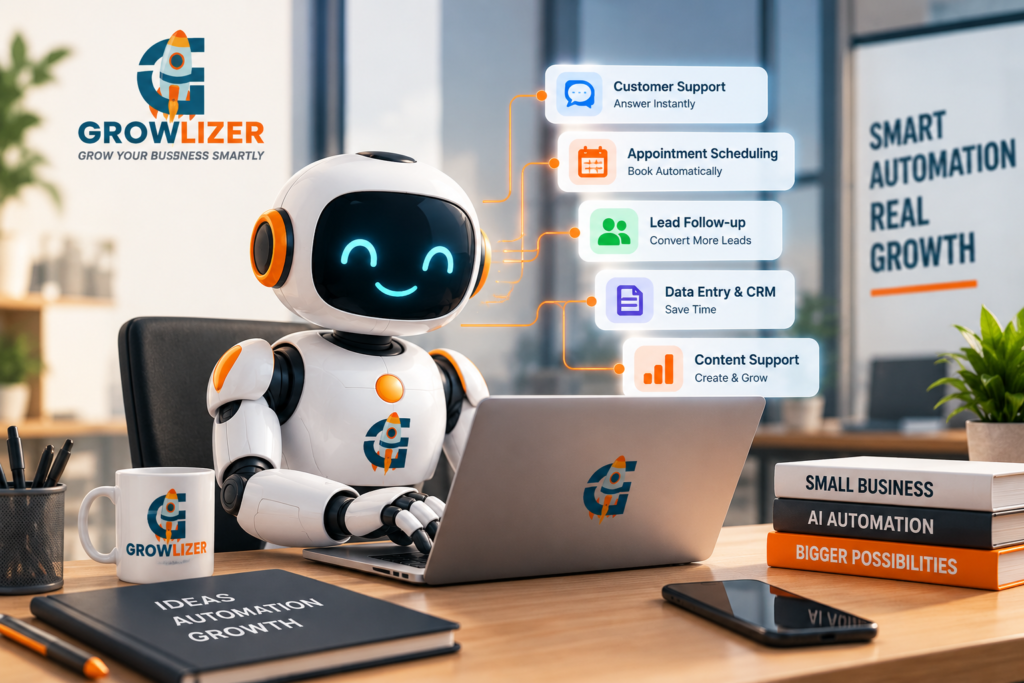
AI agents have moved past the hype phase. In 2026, small and mid-sized businesses across the USA, UK, and UAE aren’t just experimenting with AI chatbots anymore — they’re deploying AI agents that handle real, multi-step work: answering customer questions, qualifying leads, scheduling appointments, and following up automatically, without a human touching every step.

AI Agent vs. Chatbot: What’s the Difference

A traditional chatbot answers a question and stops. An AI agent can plan and carry out a sequence of actions on its own — checking a calendar, booking a slot, sending a confirmation email, and updating your CRM, all from one customer message, without a human relaying information between systems.

Where Small Businesses Are Actually Using AI Agents Right Now

The most common real-world use cases in 2026 aren’t flashy — they’re operational:

1. Customer service and FAQs — handling repetitive questions instantly, 24/7
2. Appointment scheduling — letting customers book, reschedule, or cancel without calling in
3. Lead qualification and follow-up — responding to new inquiries within minutes instead of hours, and following up automatically if a lead goes quiet
4. Data entry and admin automation — pulling information from forms, emails, or calls into your CRM or spreadsheets automatically
5. Content and social media support — drafting first-pass content that a human then reviews and approves

Adoption among small businesses has grown sharply in the last two years, with a meaningful share of small and mid-sized businesses now using some form of AI assistant or workflow automation for at least one of the functions above. The businesses seeing the clearest returns are the ones that pick one specific, repetitive workflow and automate that fully, rather than trying to “add AI everywhere” at once.

Why Speed Matters More Than You’d Think

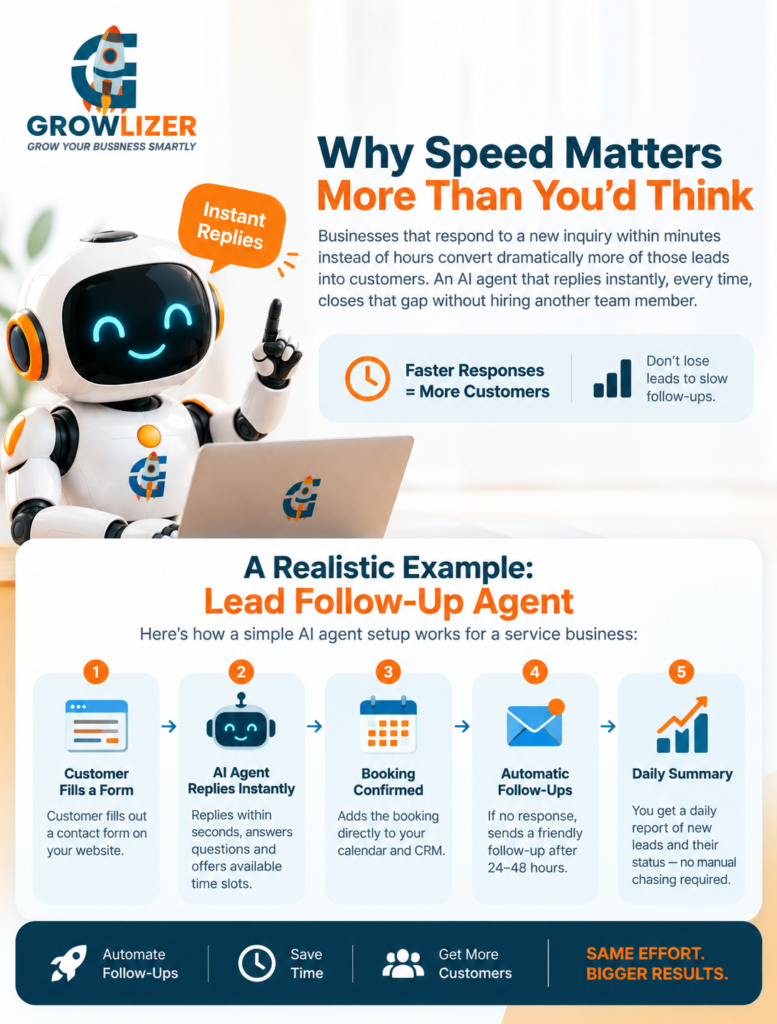
One of the biggest, most measurable wins from AI agents is response speed. Businesses that respond to a new inquiry within minutes instead of hours convert dramatically more of those leads into customers — a gap that’s been documented across industries for years, but that most businesses still don’t act on because manual follow-up simply can’t happen that fast. An AI agent that replies instantly, every time, closes that gap without hiring another team member.

A Realistic Example: Lead Follow-Up Agent

Here’s what a simple, high-ROI AI agent setup looks like for a service business:

1. Customer fills out a contact form on your website
2. AI agent replies within seconds, answers basic questions, and offers available time slots
3. If the customer books, it’s added directly to your calendar and CRM
4. If the customer doesn’t respond, the agent sends a friendly follow-up 24–48 hours later
5. You get a daily summary of new leads and their status — no manual chasing required

This kind of setup typically takes a few weeks to build and tune, and pays for itself quickly once you account for how many leads were previously lost to slow response times.

What AI Agents Are Not Good At (Yet)

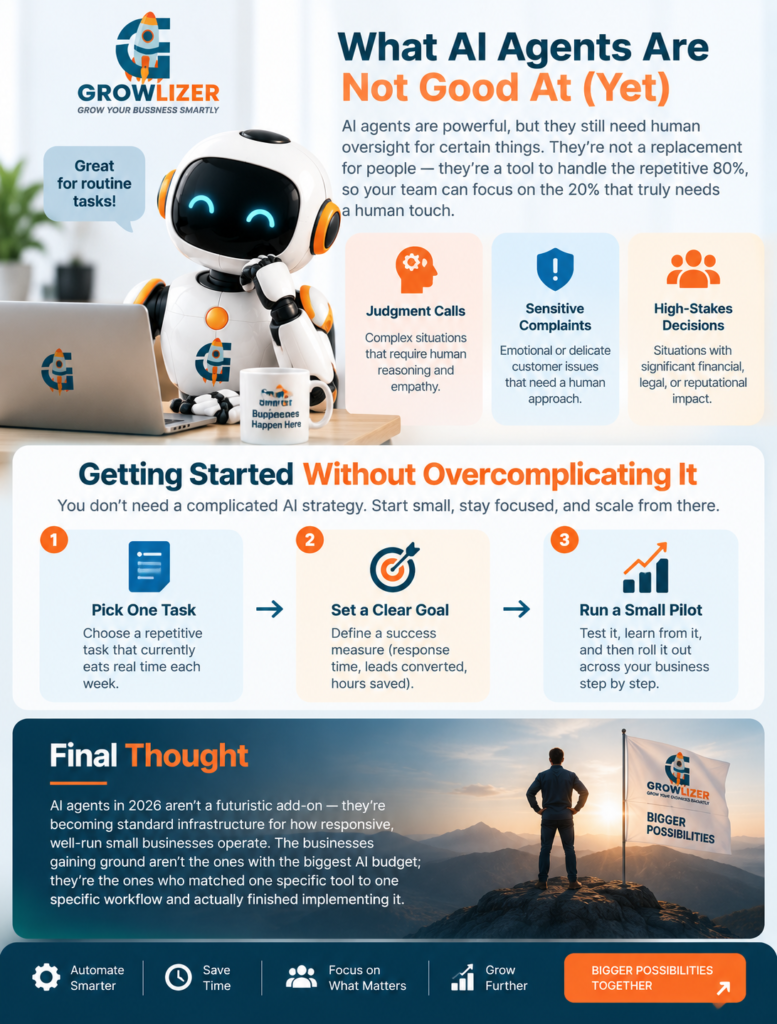
To set realistic expectations: AI agents still need human oversight for anything involving genuine judgment calls, sensitive complaints, or high-stakes decisions. The businesses that succeed with AI agents treat them as a way to handle the repetitive 80% of interactions instantly, freeing up humans for the 20% that actually needs a person.

Getting Started Without Overcomplicating It

You don’t need a company-wide AI strategy to benefit from this. Start with:

– One repetitive task that currently eats real time each week
– One clear success measure (response time, leads converted, hours saved)
– A small pilot before rolling it out across your whole operation

Final Thought

AI agents in 2026 aren’t a futuristic add-on — they’re becoming standard infrastructure for how responsive, well-run small businesses operate. The businesses gaining ground aren’t the ones with the biggest AI budget; they’re the ones who matched one specific tool to one specific workflow and actually finished implementing it.

Growlizer builds and deploys custom AI agents for small businesses across the USA, UK, and UAE — from lead follow-up to scheduling to customer service automation. If you have one workflow that’s eating your team’s time, we can scope what an AI agent for it would actually look like.

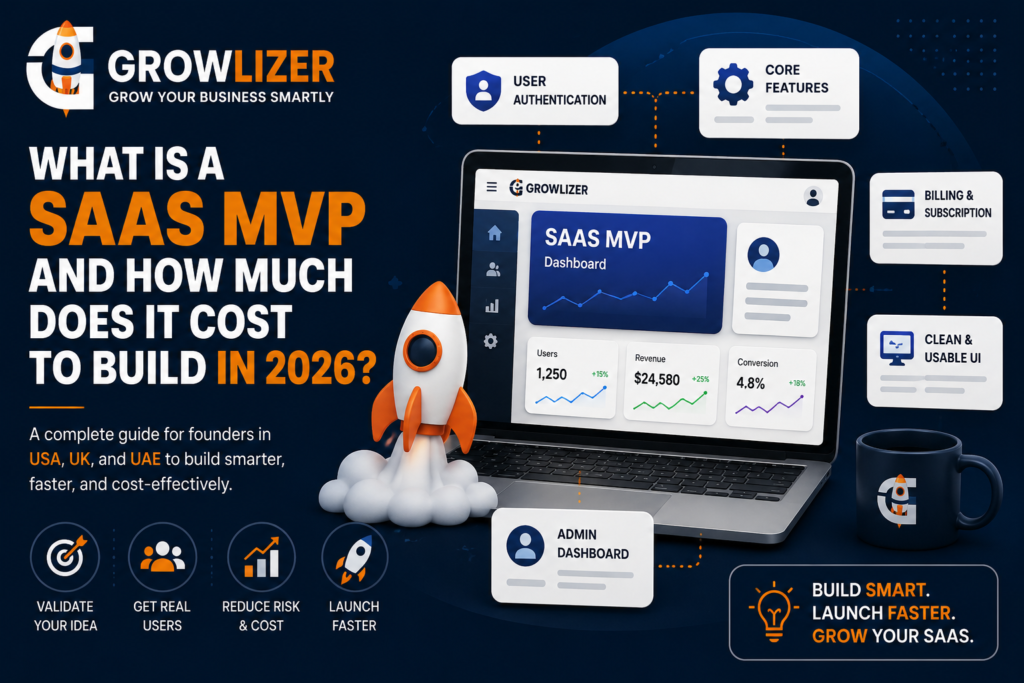
If you’re a founder in the USA, UK, or UAE trying to validate a software idea, you don’t need a fully built product on day one — you need an MVP (Minimum Viable Product). An MVP is the smallest working version of your SaaS that still solves the core problem for your first real users, without every feature you’ve dreamed up for version 3.0.

Why Start With an MVP Instead of the Full Product

Building the “complete” version of a SaaS product before testing it with real users is one of the most common ways founders burn through their budget. An MVP lets you:

– Validate that people will actually pay for the problem you’re solving
– Get real user feedback before committing to a full feature set
– Raise funding or reinvest revenue based on traction, not assumptions
– Launch in months, not a year or more

What a Typical SaaS MVP Includes

A well-scoped MVP usually covers:

1. User authentication — sign-up, login, password reset
2. Core feature set — the one or two things your product does that solve the actual problem
3. Basic billing/subscription — even a simple Stripe integration counts
4. A functional (not fancy) UI — clean, usable, not necessarily polished
5. Admin basics — enough for you to see what users are doing

What it should not include: advanced analytics dashboards, multi-language support, complex integrations, or every “nice to have” feature on your roadmap. Those come after you’ve proven people want the product.

SaaS MVP Cost Ranges in 2026

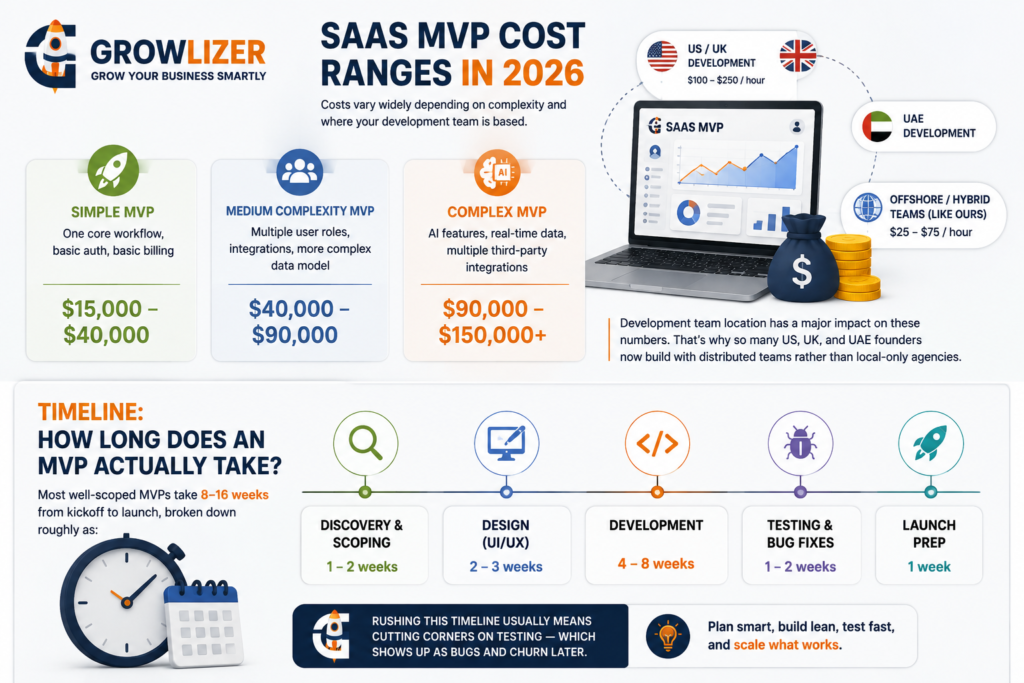
Costs vary widely depending on complexity and where your development team is based:

Simple MVP (one core workflow, basic auth, basic billing): roughly $15,000–$40,000
Medium complexity MVP (multiple user roles, integrations, more complex data model): roughly $40,000–$90,000
Complex MVP (AI features, real-time data, multiple third-party integrations): $90,000–$150,000+

Development team location has a major impact on these numbers. In-house US or UK development typically runs $100–$250/hour, while offshore or hybrid teams (like ours) typically run $25–$75/hour for the same skill level — which is why so many US, UK, and UAE founders now build with distributed teams rather than local-only agencies.

Timeline: How Long Does an MVP Actually Take?

vMost well-scoped MVPs take **8–16 weeks** from kickoff to launch, broken down roughly as:

– Discovery & scoping: 1–2 weeks
– Design (UI/UX): 2–3 weeks
– Development: 4–8 weeks
– Testing & bug fixes: 1–2 weeks
– Launch prep: 1 week

Rushing this timeline usually means cutting corners on testing — which shows up as bugs and churn once real users arrive.

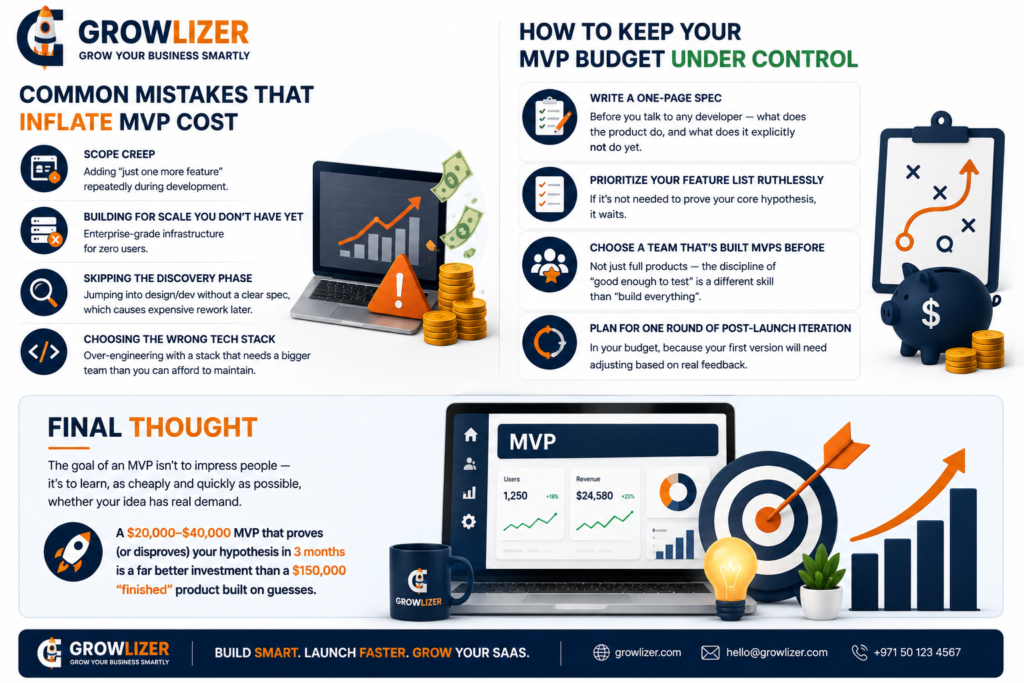
Common Mistakes That Inflate MVP Cost

Scope creep — adding “just one more feature” repeatedly during development
Building for scale you don’t have yet — enterprise-grade infrastructure for zero users
Skipping the discovery phase — jumping into design/dev without a clear spec, which causes expensive rework later
Choosing the wrong tech stack — over-engineering with a stack that needs a bigger team than you can afford to maintain

How to Keep Your MVP Budget Under Control

– Write a one-page spec before you talk to any developer — what does the product do, and what does it explicitly *not* do yet
– Prioritize your feature list ruthlessly — if it’s not needed to prove your core hypothesis, it waits
– Choose a team that’s built MVPs before, not just full products — the discipline of “good enough to test” is a different skill than “build everything”
– Plan for one round of post-launch iteration in your budget, because your first version will need adjusting based on real feedback

Final Thought

The goal of an MVP isn’t to impress people — it’s to learn, as cheaply and quickly as possible, whether your idea has real demand. A $20,000–$40,000 MVP that proves (or disproves) your hypothesis in 3 months is a far better investment than a $150,000 “finished” product built on guesses.

Growlizer builds SaaS MVPs for founders across the USA, UK, and UAE, combining custom development with our AI automation expertise. If you’re scoping a SaaS idea, we’re happy to give you a realistic cost and timeline estimate before you commit to anything.

How to start an ecommerce business in 2026 is a common question for entrepreneurs who want to sell products online and build a profitable digital business. From choosing the right products and target market to selecting between Shopify and WooCommerce, there are several important decisions to make before launching your store. In this step-by-step guide, we’ll explain how to build, set up, launch, and market your ecommerce business successfully.

Global e-commerce sales surpassed $6 trillion in 2025 and are growing every year. Whether you’re selling handmade crafts, clothing, electronics, or digital products, starting an online store in 2026 has never been more accessible — or more competitive.

This guide walks you through exactly how to start an e-commerce business, and helps you make the critical platform decision between Shopify and WooCommerce.

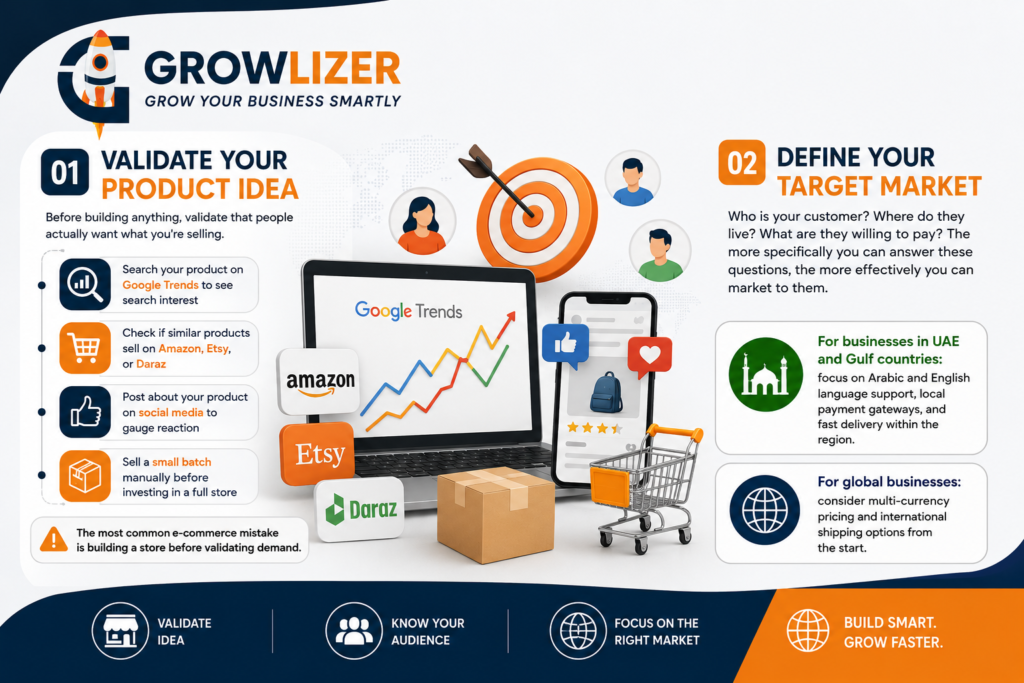
Step 1: Validate Your Product Idea

how to start an ecommerce business in 2026. Before building anything, validate that people actually want what you’re selling. Start by:
– Searching your product on Google Trends to see search interest
– Checking if similar products sell on Amazon, Etsy, or Daraz
– Posting about your product on social media to gauge reaction
– Selling a small batch manually before investing in a full store

The most common e-commerce mistake is building a store before validating demand.

Step 2: Define Your Target Market

Who is your customer? Where do they live? What are they willing to pay? The more specifically you can answer these questions, the more effectively you can market to them.

For businesses in UAE and Gulf countries: focus on Arabic and English language support, local payment gateways, and fast delivery within the region.

For global businesses: consider multi-currency pricing and international shipping options from the start.

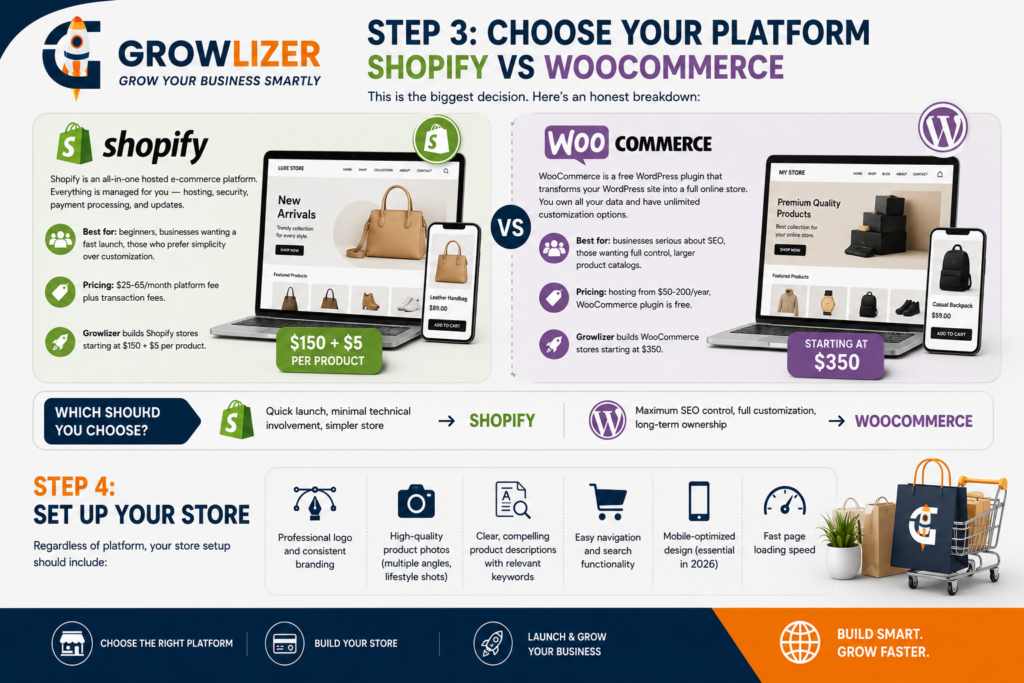
Step 3: Choose Your Platform — Shopify vs WooCommerce

This is the biggest decision. Here’s an honest breakdown:

Shopify
Shopify is an all-in-one hosted e-commerce platform. Everything is managed for you — hosting, security, payment processing, and updates.

Best for: beginners, businesses wanting a fast launch, those who prefer simplicity over customization.
Pricing: $25-65/month platform fee plus transaction fees.
Growlizer builds Shopify stores starting at $150 + $5 per product.

WooCommerce

WooCommerce is a free WordPress plugin that transforms your WordPress site into a full online store. You own all your data and have unlimited customization options.

Best for: businesses serious about SEO, those wanting full control, larger product catalogs.
Pricing: hosting from $50-200/year, WooCommerce plugin is free.
Growlizer builds WooCommerce stores starting at $350.

Which Should You Choose?
Quick launch, minimal technical involvement, simpler store → Shopify
Maximum SEO control, full customization, long-term ownership → WooCommerce

Step 4: Set Up Your Store

Regardless of platform, your store setup should include:

– Professional logo and consistent branding
– High-quality product photos (multiple angles, lifestyle shots)
– Clear, compelling product descriptions with relevant keywords
– Easy navigation and search functionality
– Mobile-optimized design (essential in 2026)
– Fast page loading speed

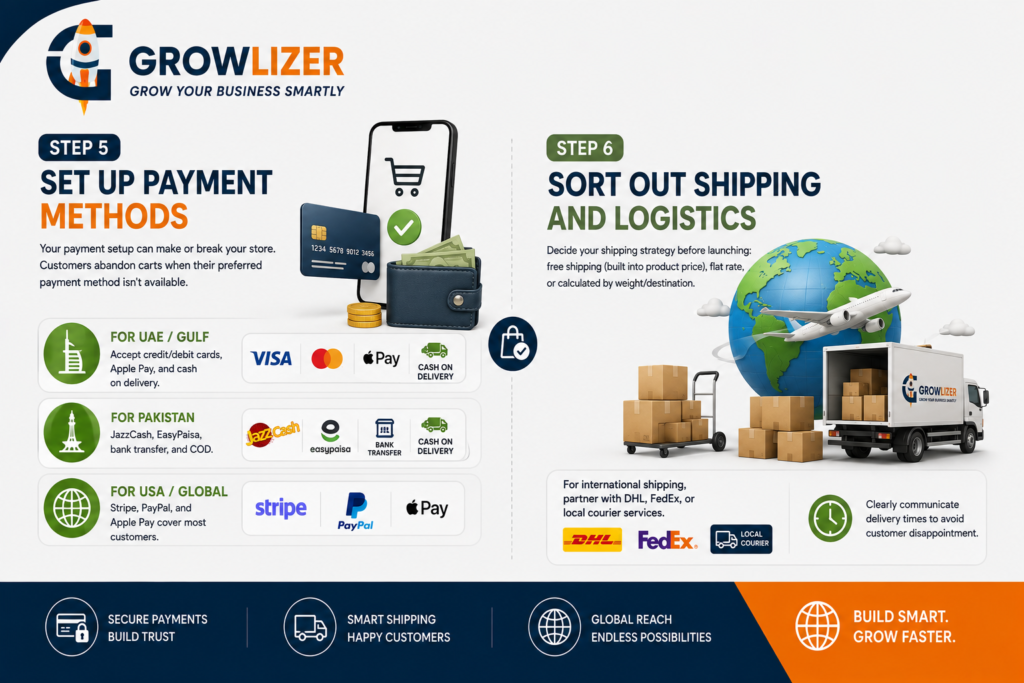
Step 5: Set Up Payment Methods

Your payment setup can make or break your store. Customers abandon carts when their preferred payment method isn’t available.

For UAE/Gulf: accept credit/debit cards, Apple Pay, and cash on delivery.
For Pakistan: JazzCash, EasyPaisa, bank transfer, and COD.
For USA/Global: Stripe, PayPal, and Apple Pay cover most customers.

Step 6: Sort Out Shipping and Logistics

Decide your shipping strategy before launching: free shipping (built into product price), flat rate, or calculated by weight/destination.

For international shipping, partner with DHL, FedEx, or local courier services. Clearly communicate delivery times to avoid customer disappointment.

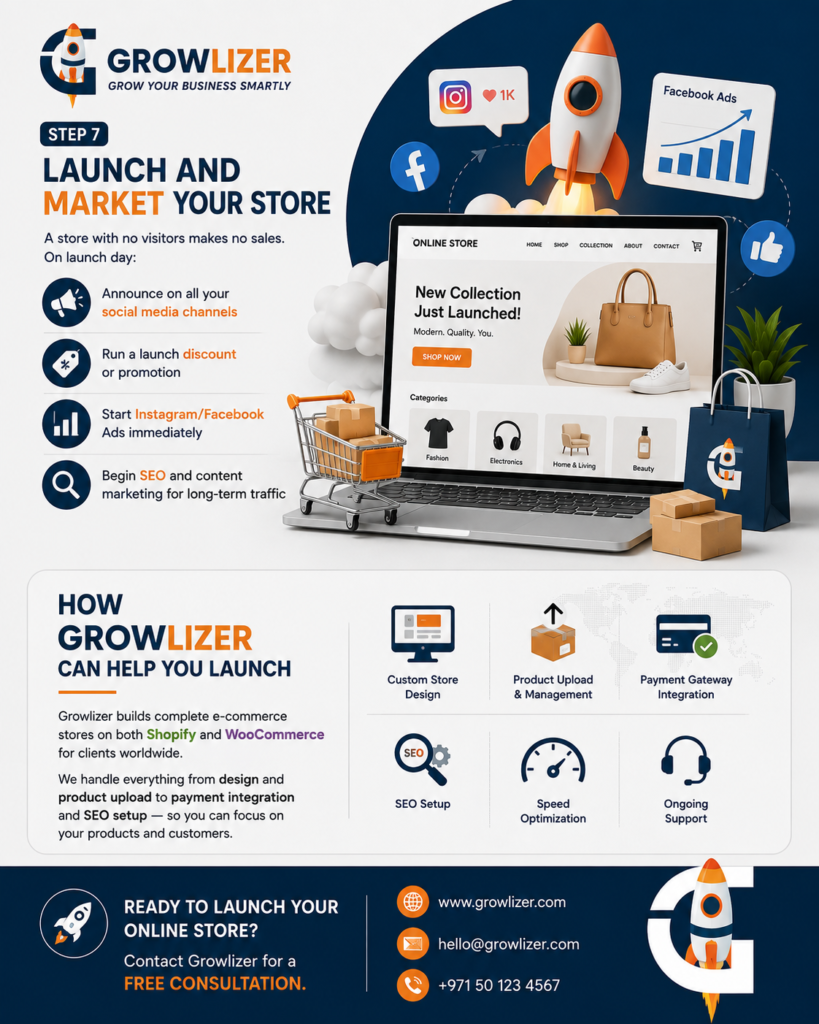
Step 7: Launch and Market Your Store

A store with no visitors makes no sales. On launch day:
– Announce on all your social media channels
– Run a launch discount or promotion
– Start Instagram/Facebook Ads immediately
– Begin SEO and content marketing for long-term traffic

How Growlizer Can Help You Launch

Growlizer builds complete e-commerce stores on both Shopify and WooCommerce for clients worldwide. We handle everything from design and product upload to payment integration and SEO setup — so you can focus on your products and customers

Conculsion

Starting an online store can be a powerful way to build and grow your business in today’s digital market. If you’re wondering how to start an ecommerce business in 2026, the key is to validate your product idea, understand your target audience, choose the right platform, set up convenient payment and shipping options, and create a strong marketing strategy.

Whether you choose Shopify or WooCommerce, focus on providing a fast, user-friendly, and trustworthy shopping experience. With the right strategy and consistent marketing, your ecommerce store can attract customers and grow over time.

Ready to start your ecommerce journey? Growlizer can help you design, develop, and launch a professional Shopify or WooCommerce store built for your business goals.

Ready to launch your online store? Contact Growlizer for a free consultation.

WordPress Development Services in 2026: What to Expect and How to Choose is an important consideration for businesses looking to build, improve, or maintain a professional website. WordPress powers millions of websites worldwide, from small business websites and personal blogs to large e-commerce stores and enterprise platforms. But what exactly do professional WordPress development services include, and how can you choose the right WordPress developer or agency for your business? WordPress powers over 43% of all websites on the internet — from personal blogs to major news outlets to enterprise e-commerce platforms. If you’re looking to build or improve a website in 2026, WordPress is very likely the right platform. But what exactly do professional WordPress development services include, and how do you choose the right provider?

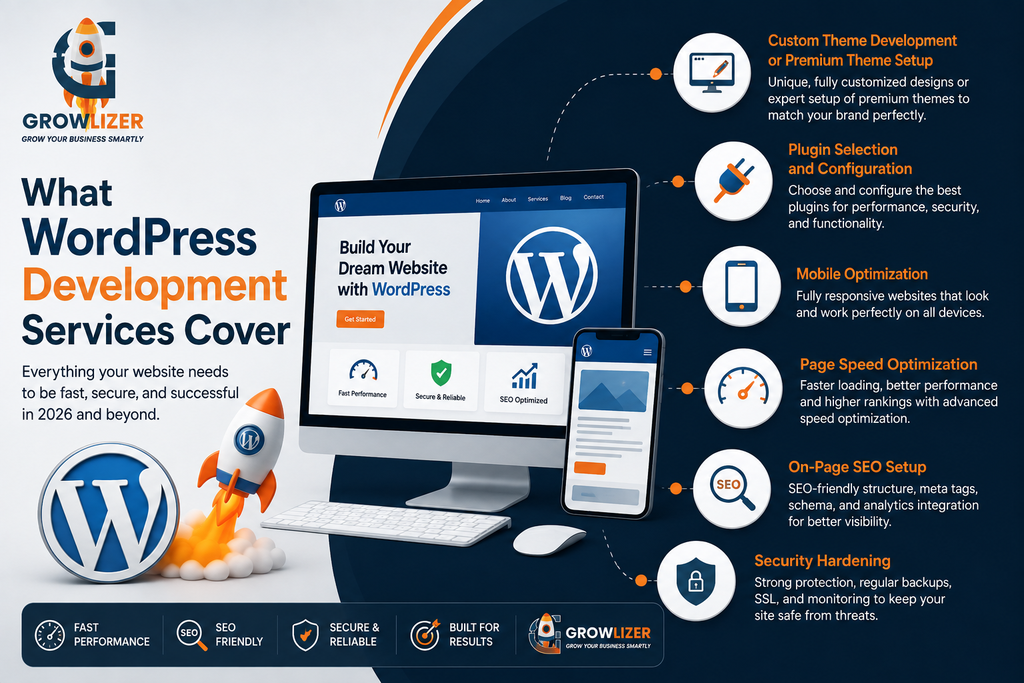
What WordPress Development Services Cover

Professional WordPress development is much more than just installing a theme and adding some text. A full WordPress development service typically includes:

Custom Theme Development or Premium Theme Setup
A good WordPress developer either builds a custom theme from scratch (for maximum flexibility) or expertly configures a premium theme (like Astra, Divi, or Elementor) to match your brand perfectly — not just slap on a generic out-of-the-box design.

Plugin Selection and Configuration

WordPress’s power comes from its 60,000+ plugins. A professional developer knows which plugins are reliable, fast, and secure — and which ones slow down your site or create security vulnerabilities. Common essential plugins include Yoast SEO, WooCommerce (for e-commerce), Contact Form 7, and security plugins like Wordfence.

Mobile Optimization
In 2026, over 60% of website traffic comes from mobile devices. Professional WordPress development ensures your site looks and functions perfectly on smartphones and tablets — not just desktop computers.

Page Speed Optimization
Google uses page speed as a ranking factor. Slow websites rank lower and lose visitors. Professional developers optimize images, enable caching, use CDN (Content Delivery Networks), and minimize code to ensure fast load times.

On-Page SEO Setup
A properly developed WordPress site includes SEO-friendly URL structures, optimized meta tags, proper heading hierarchy, schema markup, and integration with Google Search Console and Analytics.

Security Hardening
WordPress websites are frequent targets for hackers if not properly secured. Professional development includes security best practices — strong login protection, regular backup systems, SSL certificates, and security monitoring.

Before selecting WordPress Development Services in 2026: What to Expect and How to Choose, businesses should understand the different types of WordPress projects available.

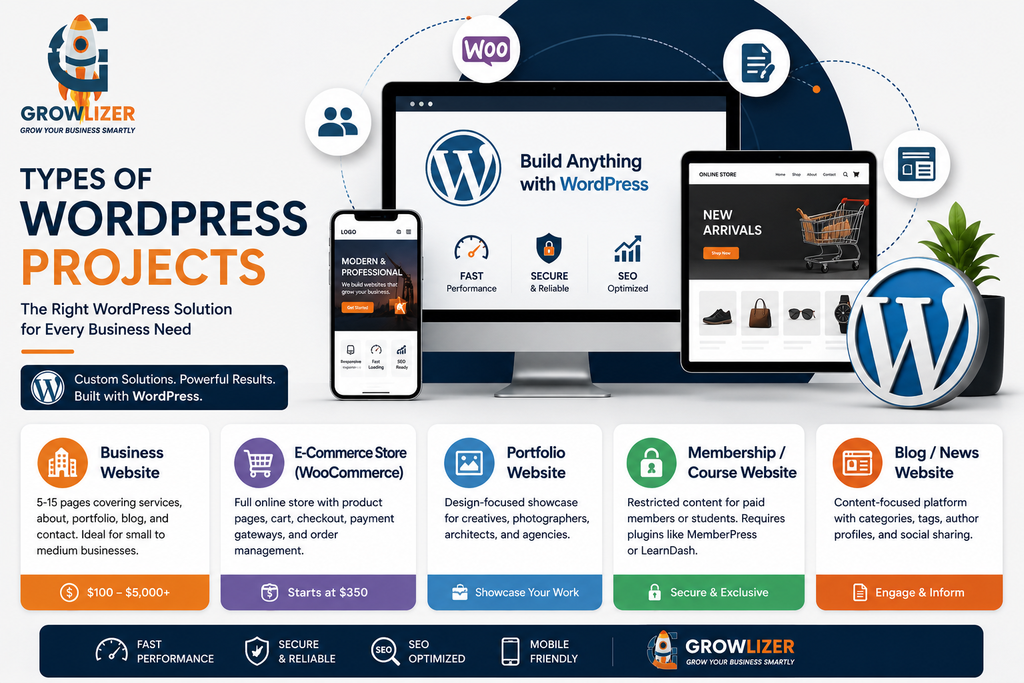
Types of WordPress Projects

Business Website: 5-15 pages covering your services, about, portfolio, blog, and contact. Most common for small to medium businesses. Prices range from $100-5,000+ depending on the provider and complexity.

E-Commerce Store (WooCommerce): Full online store with product pages, cart, checkout, payment gateways, and order management. Starts at $350 with Growlizer.

Portfolio Website: Design-focused showcase for creatives, photographers, architects, and agencies.

Membership/Course Website: Restricted content for paid members or students. Requires specialized plugins like MemberPress or LearnDash.

Blog/News Website: Content-focused platform with categories, tags, author profiles, and social sharing.

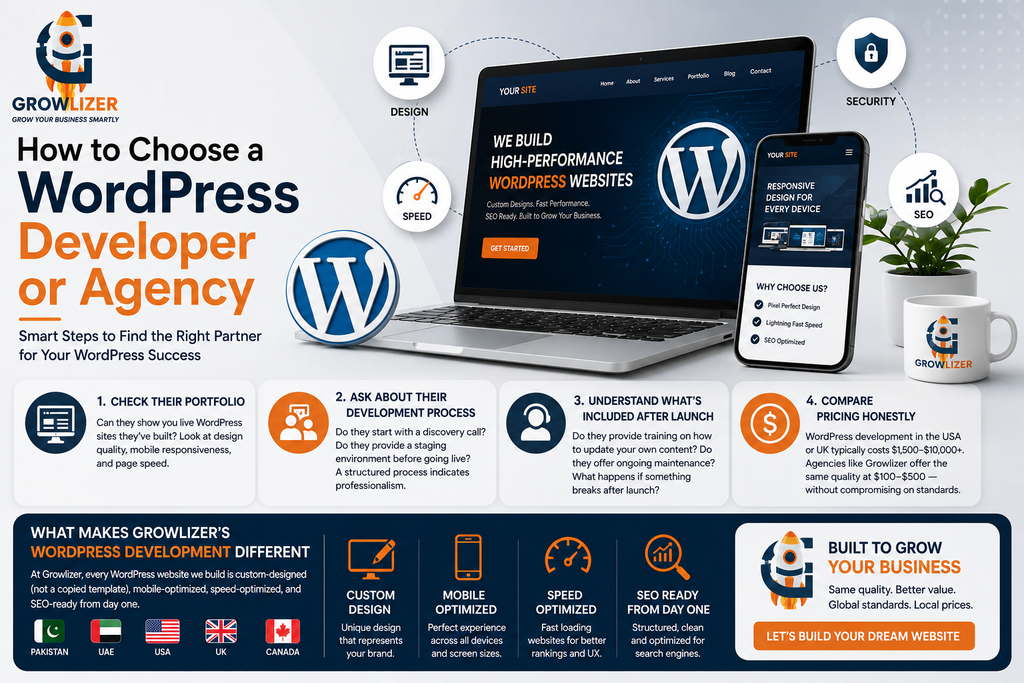
How to Choose a WordPress Developer or Agency

When comparing WordPress Development Services in 2026: What to Expect and How to Choose, it is important to look beyond price and consider quality, experience, security, SEO, and ongoing support.

Check their portfolio. Can they show you live WordPress sites they’ve built? Look at design quality, mobile responsiveness, and page speed.

Ask about their development process.
Do they start with a discovery call? Do they provide a staging environment before going live? A structured process indicates professionalism.

Understand what’s included after launch.
Do they provide training on how to update your own content? Do they offer ongoing maintenance? What happens if something breaks after launch?

Compare pricing honestly. WordPress development in the USA or UK typically costs $1,500-10,000+. Agencies like Growlizer, serving global clients from Pakistan, offer the same quality at $100-500 — without compromising on standards.

What Makes Growlizer’s WordPress Development Different

At Growlizer, every WordPress website we build is custom-designed (not a copied template), mobile-optimized, speed-optimized, and SEO-ready from day one. We serve clients in Pakistan, UAE, USA, UK, and Canada — and our WordPress sites meet the same quality bar expected in any of those markets.

Conclusion

The right WordPress Development Services in 2026: What to Expect and How to Choose can give your business a stronger online presence and a website built for long-term growth. WordPress Development Services in 2026: What to Expect and How to Choose ? Choosing the right WordPress development services in 2026 can make a major difference in your website’s performance, security, SEO, and overall user experience. From custom design and plugin configuration to mobile optimization, page speed, SEO, and security, professional WordPress development ensures your website is built to support your business goals.

Get a free WordPress website quote from Growlizer today.

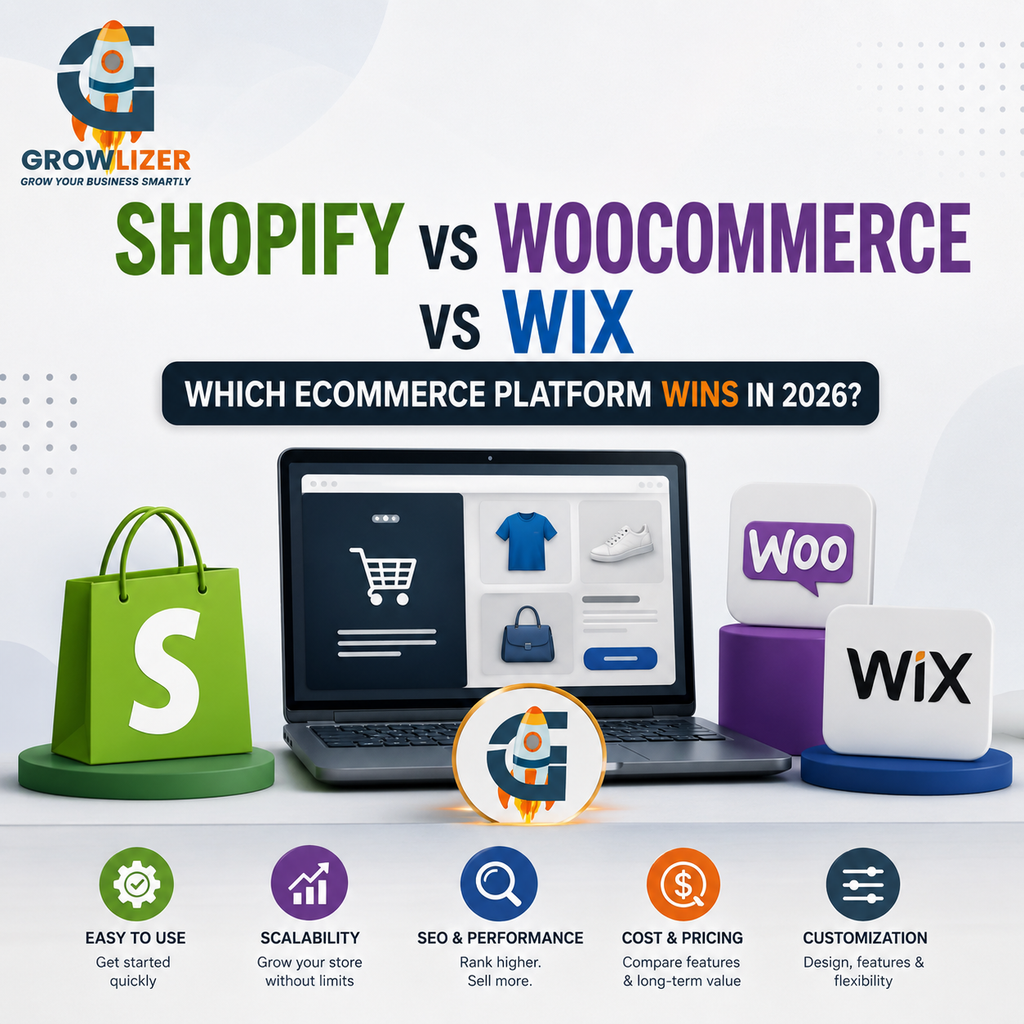
Shopify vs WooCommerce vs Wix 2026 is one of the most important comparisons for businesses choosing the right ecommerce platform for their online store. Starting an online store in 2026 means making one critical decision upfront: which ecommerce platform do you build on? The three most popular choices — Shopify, WooCommerce, and Wix — each have genuine strengths and clear limitations.

This comparison gives you the honest, direct answer based on different business situations.

Shopify — Built for Selling

Shopify is the world’s leading dedicated ecommerce platform, powering over 4 million stores globally. Everything about Shopify is built around selling — from checkout to inventory management to payment processing.

Shopify’s biggest advantages:
– Easiest to set up and start selling quickly
– Handles everything — hosting, security, SSL, updates
– Excellent mobile shopping experience
– Built-in payment processing (Shopify Payments)
– Massive app store for additional functionality
– Scales effortlessly from 10 products to 10,000

Shopify’s limitations:
– Monthly fees: $25-65+/month platform fee on top of any transaction fees
– Limited customization without developer help
– Weaker SEO compared to WordPress/WooCommerce
– Monthly costs add up significantly over time

Best for: Businesses focused primarily on selling products who want the simplest path to a professional online store.

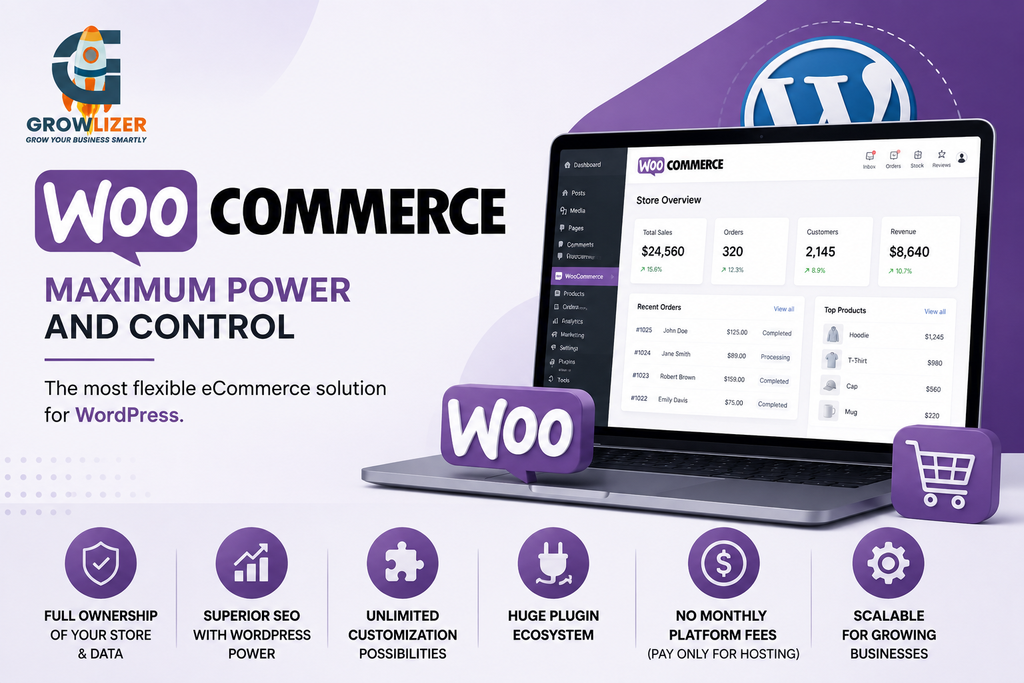
WooCommerce — Maximum Power and Control

WooCommerce is a free WordPress plugin that transforms any WordPress site into a full online store. It’s the world’s most flexible ecommerce solution — but requires more technical setup than Shopify.

WooCommerce’s biggest advantages:
– Complete ownership of your store and data
– No monthly platform fees (pay only for hosting)
– Superior SEO — WordPress is the most SEO-friendly CMS available
– Unlimited customization — can build any feature with the right developer
– Huge plugin ecosystem for any additional functionality
– WooCommerce itself is free

WooCommerce’s limitations:
– Requires WordPress hosting (additional cost)
– More complex to set up — needs a developer for best results
– You’re responsible for security updates and maintenance
– Scaling to very high traffic requires good hosting infrastructure

Best for: Businesses that want full control, prioritize SEO, plan to scale significantly, or need highly customized store functionality.

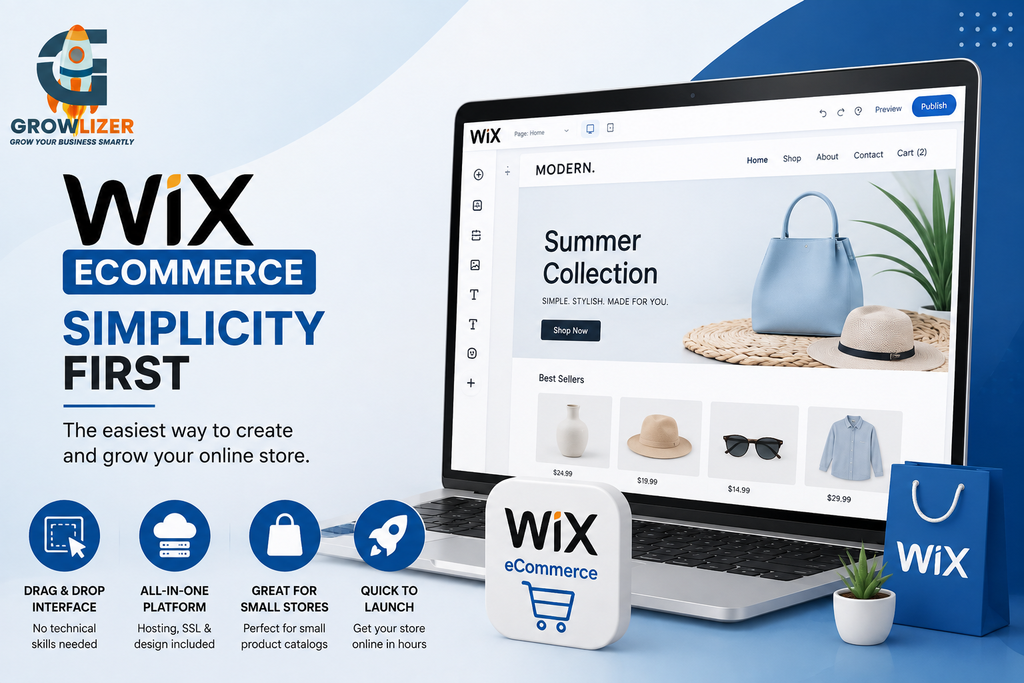
Wix Ecommerce — Simplicity First

Wix’s ecommerce features have improved significantly in 2026, making it a viable option for small, simple online stores. It’s the easiest of the three to set up — often achievable in hours with no technical knowledge.

Wix’s biggest advantages:

– Easiest drag-and-drop interface — no technical skills needed
– All-in-one platform (hosting, SSL, design included)
– Good for small product catalogs
– Quick to launch

Wix’s limitations:

– Limited scalability — struggles with large product catalogs
– Weakest SEO of the three
– Less payment gateway options than Shopify
– Template-based look can feel generic
– Not suitable for serious, scaling ecommerce businesses

Best for:
Very small online stores (under 50 products), local businesses with simple ecommerce needs, or businesses testing a product idea quickly.

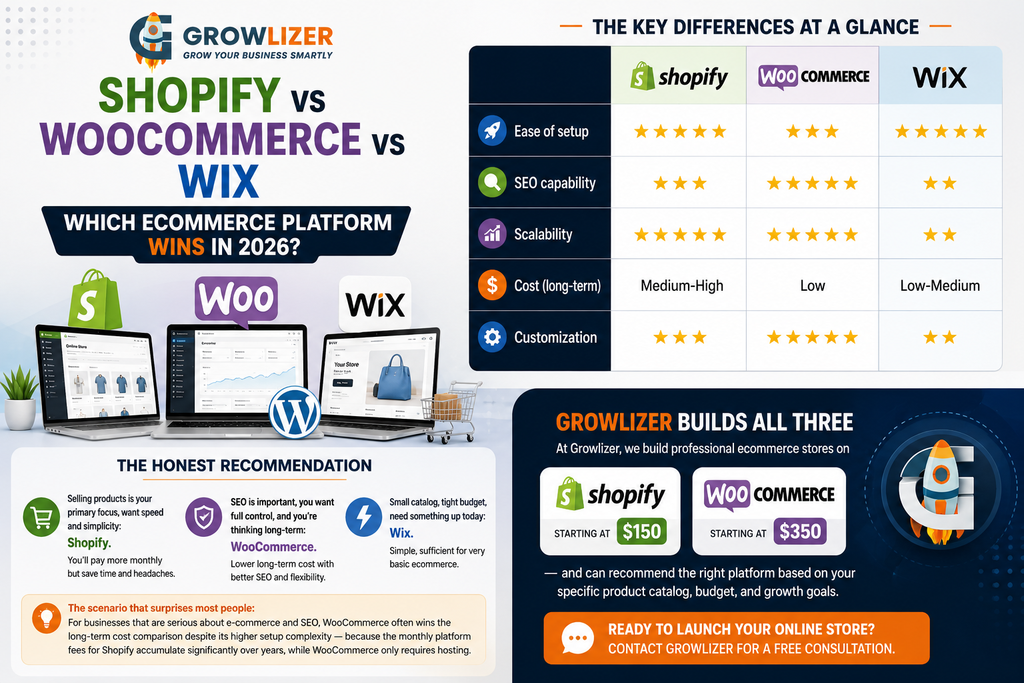
The Key Differences at a Glance

FeatureShopifyWooCommerceWix
Ease of setup⭐⭐⭐⭐⭐⭐⭐⭐⭐⭐⭐⭐⭐
SEO capability⭐⭐⭐⭐⭐⭐⭐⭐⭐⭐
Scalability⭐⭐⭐⭐⭐⭐⭐⭐⭐⭐⭐⭐
Cost (long-term)Medium–HighLowLow–Medium
Customization⭐⭐⭐⭐⭐⭐⭐⭐⭐⭐

The Honest Recommendation

Shopify vs WooCommerce vs Wix 2026 is one of the most important comparisons for businesses choosing the right ecommerce platform for their online store.

Selling products is your primary focus, want speed and simplicity: Shopify. You’ll pay more monthly but save time and headaches.

SEO is important, you want full control, and you’re thinking long-term: WooCommerce. Lower long-term cost with better SEO and flexibility.

Small catalog, tight budget, need something up today: Wix. Simple, sufficient for very basic ecommerce.

The scenario that surprises most people: For businesses that are serious about e-commerce and SEO, WooCommerce often wins the long-term cost comparison despite its higher setup complexity — because the monthly platform fees for Shopify accumulate significantly over years, while WooCommerce only requires hosting.

Growlizer Builds All Three

At Growlizer, we build professional ecommerce stores on Shopify (starting at $150) and WooCommerce (starting at $350) — and can recommend the right platform based on your specific product catalog, budget, and growth goals.

Conclusion

When comparing Shopify vs WooCommerce vs Wix 2026, the best choice ultimately depends on your budget, technical requirements, SEO goals, and plans for growth.

Ready to launch your online store? Contact Growlizer for a free consultation.


Custom website development vs website builder 2026 is an important decision for businesses planning to build or improve their online presence. Both options can help you launch a professional website, but they differ significantly in cost, flexibility, SEO control, ownership, and long-term scalability.

When building a website for your business in 2026, one of the first big decisions you face is: should you use a website builder like Wix or Squarespace, or invest in custom website development?

Both have genuine merits. The wrong choice can cost you time, money, and future flexibility. Here’s an honest comparison to help you decide.

What is a Website Builder?

Custom website development vs website builder 2026 is an important decision for businesses planning to build or improve their online presence. Both options can help you launch a professional website, but they differ significantly in cost, flexibility, SEO control, ownership, and long-term scalability. Website builders are drag-and-drop platforms that let you create a website without coding knowledge. Popular options include Wix, Squarespace, and Webflow. They handle hosting, security, and technical maintenance for you.

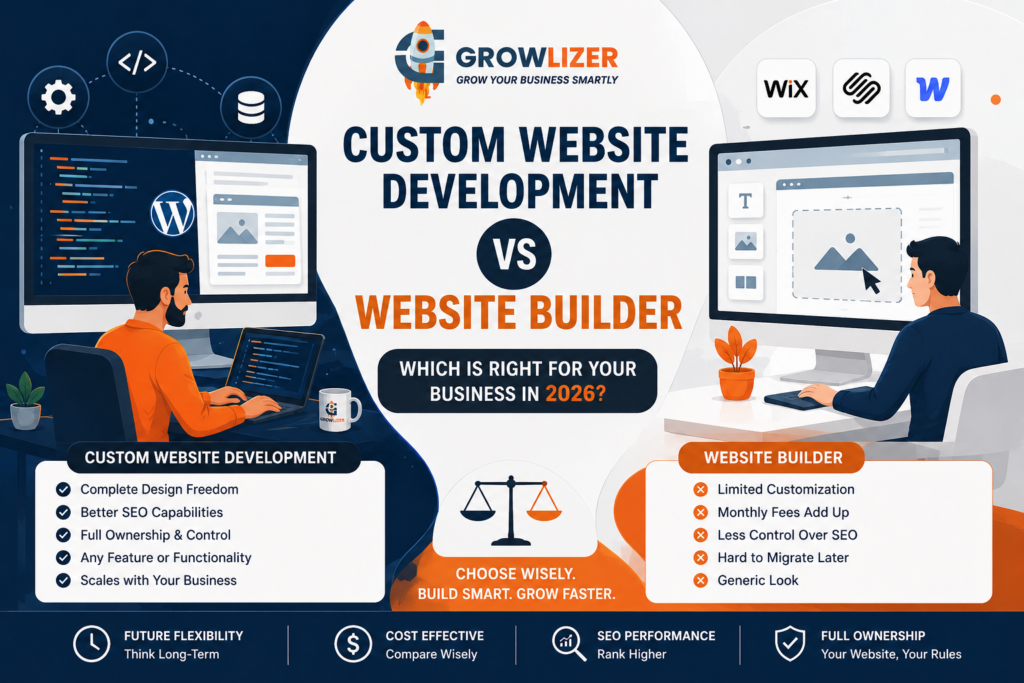
Pros of website builders:

– Fast to set up (days, not weeks)
– Lower upfront cost
– No technical knowledge required
– Built-in hosting and security
– Good templates for common business types

Cons of website builders:
– Limited customization beyond the template
– Monthly subscription fees add up over time
– Less control over SEO compared to WordPress
– Hard to migrate away from the platform later
– Generic look if not customized carefully

What is Custom Website Development?

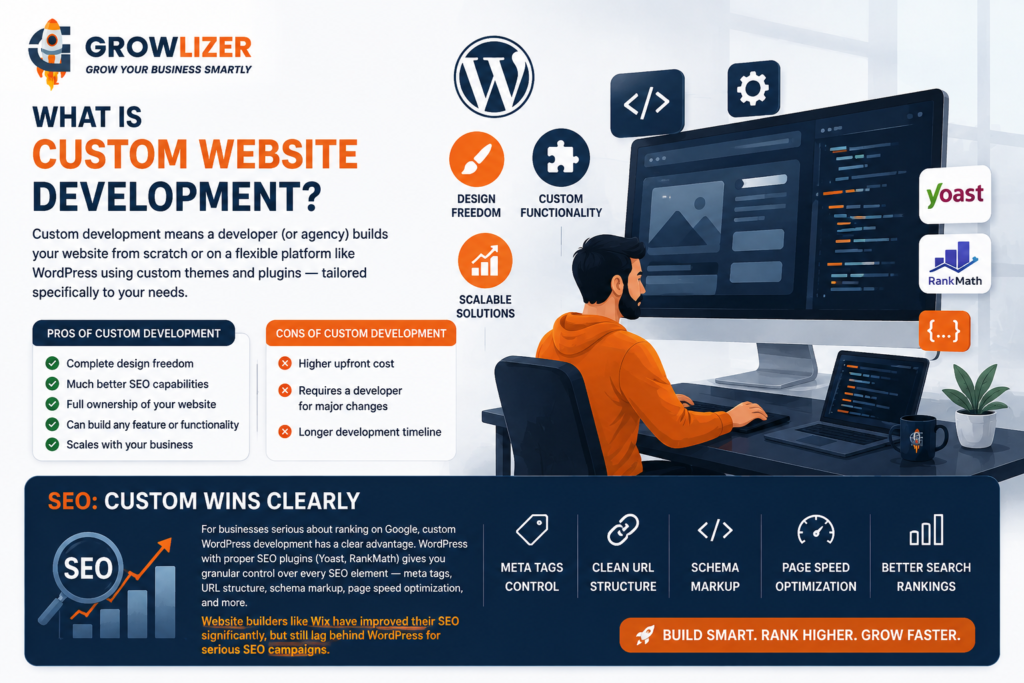
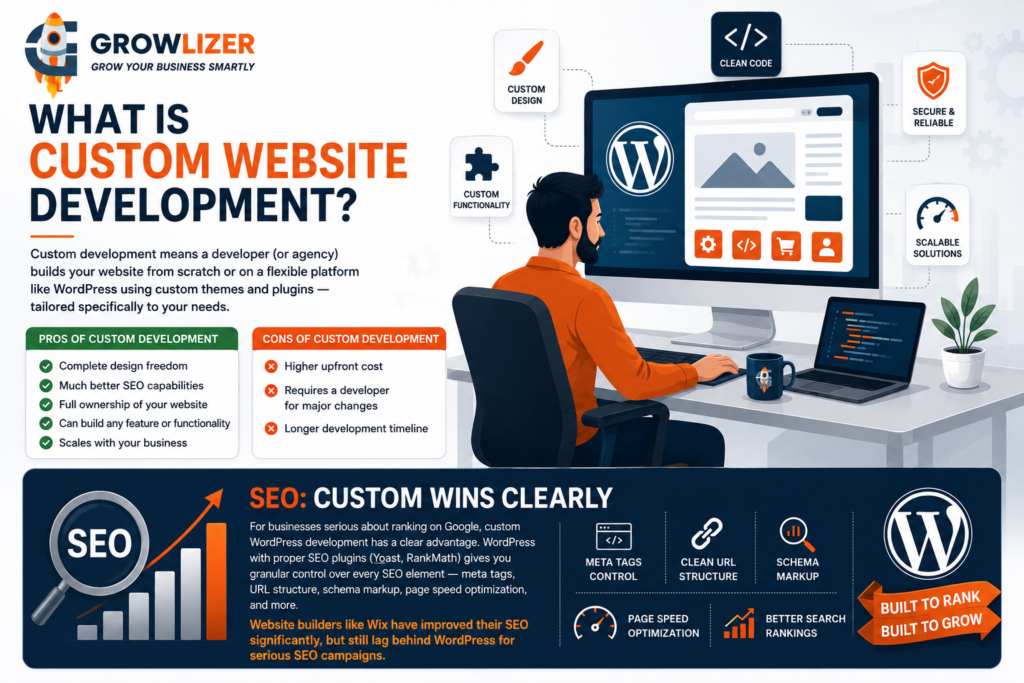
Understanding custom website development vs website builder 2026 can help you choose the right solution based on your budget and business goals. Custom development means a developer (or agency) builds your website from scratch or on a flexible platform like WordPress using custom themes and plugins — tailored specifically to your needs.

Pros of custom development:

– Complete design freedom
– Much better SEO capabilities
– Full ownership of your website
– Can build any feature or functionality
– Scales with your business

Cons of custom development:
– Higher upfront cost
– Requires a developer for major changes
– Longer development timeline

SEO: Custom Wins Clearly

For businesses serious about ranking on Google, custom WordPress development has a clear advantage. WordPress with proper SEO plugins (Yoast, RankMath) gives you granular control over every SEO element — meta tags, URL structure, schema markup, page speed optimization, and more.

Website builders like Wix have improved their SEO significantly, but still lag behind WordPress for serious SEO campaigns.

Cost Comparison Over 3 Years

CostWebsite BuilderCustom (WordPress)
Upfront cost$200–500$100–500 (with Growlizer)
Monthly fee$20–50/month$5–15/month (hosting only)
3-year total$920–2,300$280–1,040

Over time, custom WordPress development is often more cost-effective — especially when using an agency like Growlizer that offers competitive pricing.

Which Should You Choose in 2026?

Choose a website builder if:
You need a website quickly, have a very limited budget, are testing a new business idea, or have very simple requirements (portfolio, basic info site).

Choose custom development if:
You’re serious about SEO and Google rankings, need specific functionality (booking, membership, e-commerce), want to scale your website over time, or want full ownership and control.

At Growlizer, we offer both. Wix websites from $20, WordPress custom sites from $50 — so we’ll honestly recommend whichever suits your goals and budget better.


Contact Growlizer for a free consultation on which option is right for your business.


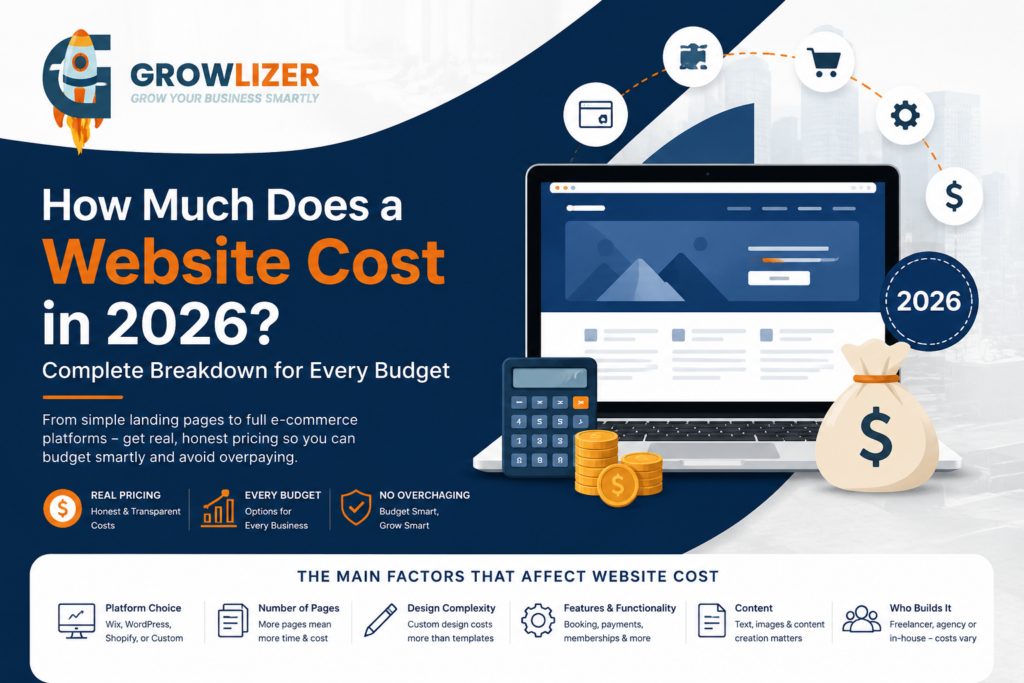
How much does a website cost 2026? Website prices can range from less than $100 for a simple landing page to $50,000+ for a complex custom website. “How much does a website cost?” is one of the most searched questions by business owners worldwide — and for good reason. The answers you find online range from “$0 (build it yourself!)” to “$50,000+” which is spectacularly unhelpful.

In this guide, we give you real, honest pricing for every type of website in 2026 — from a simple landing page to a full e-commerce platform — so you can budget confidently and avoid being overcharged.

The Main Factors That Affect Website Cost

Before the numbers, understand what drives pricing:

Platform choice — Wix, WordPress, Shopify, or custom code all have different costs.
Number of pages — more pages mean more design and development time.
Design complexity — custom design costs more than template-based design.
Features and functionality — booking systems, payment gateways, and membership areas add cost.
Content — who writes the text and creates the images matters.
Who builds it — freelancer, offshore agency, or local agency pricing varies enormously.

Simple Landing Page: $50–$500

A single-page website (also called a landing page) is perfect for businesses that need a professional online presence quickly. It typically includes a headline, services overview, contact form, and basic information.

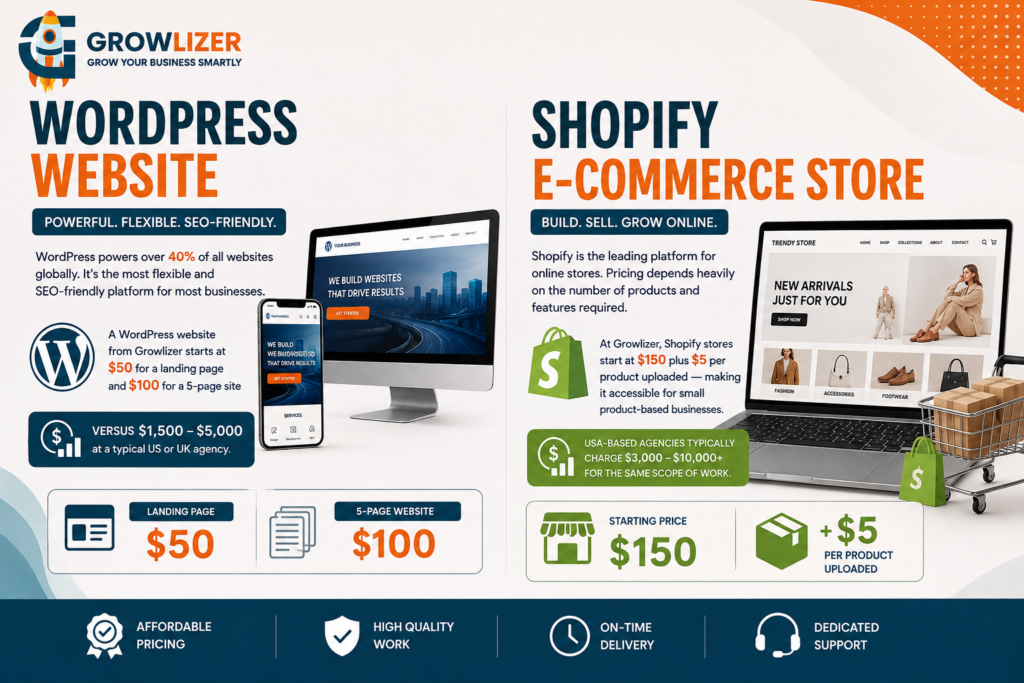
At Growlizer, a professional 1-page website starts at $20 on Wix or $50 on WordPress — significantly lower than most Western agencies without any compromise on quality.

Small Business Website (5 Pages): $100–$3,000

If you’re wondering how much does a website cost 2026, the answer depends on the type of website, platform, design, features, and development requirements. A standard small business website covers your homepage, about page, services, blog, and contact page. This is what most new businesses need.
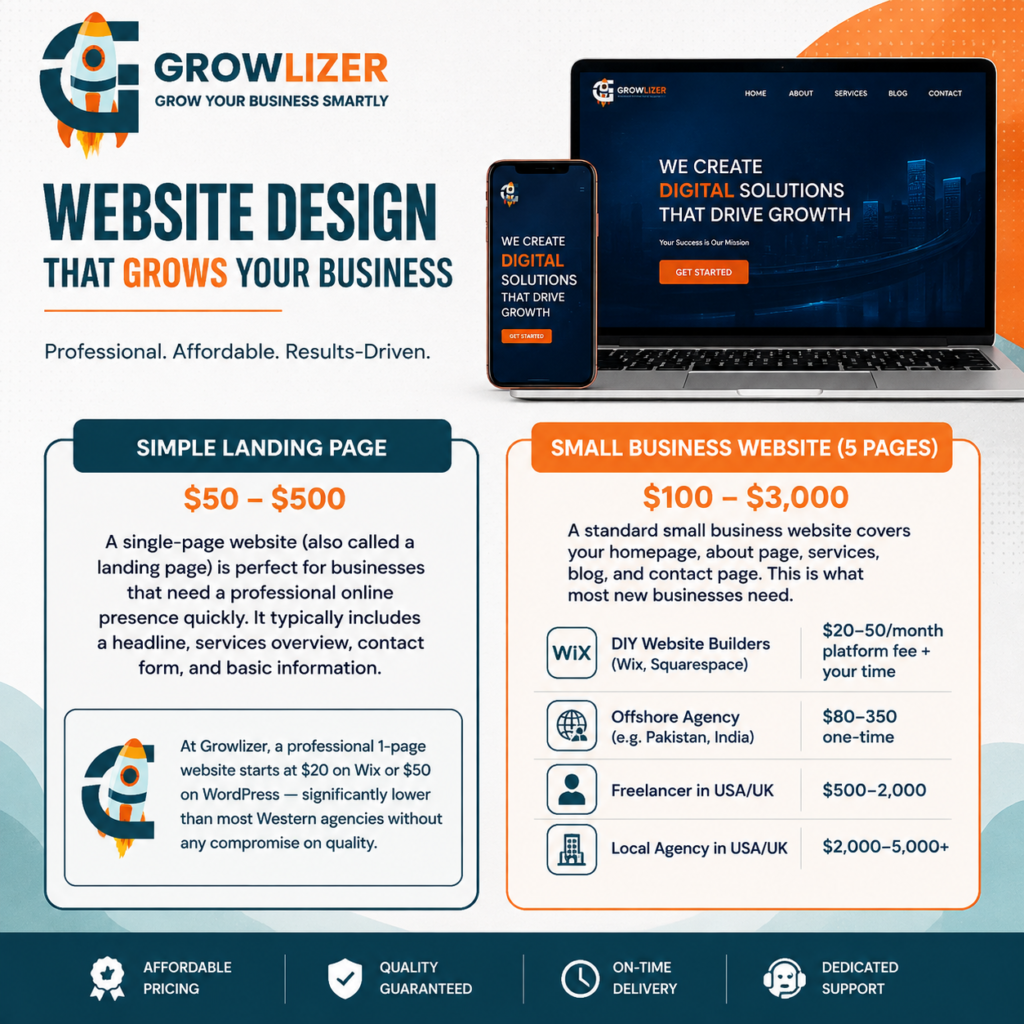
Pricing varies dramatically by provider:
– DIY website builders (Wix, Squarespace): $20-50/month platform fee + your time
– Offshore agency (e.g. Pakistan, India): $80-350 one-time
– Freelancer in USA/UK: $500-2,000
– Local agency in USA/UK: $2,000-5,000+

WordPress Website: $100–$5,000+

WordPress powers over 40% of all websites globally. It’s the most flexible and SEO-friendly platform for most businesses. A WordPress website from Growlizer starts at $50 for a landing page and $100 for a 5-page site — versus $1,500-5,000 at a typical US or UK agency.

Shopify E-Commerce Store: $150–$10,000+

Shopify is the leading platform for online stores. Pricing depends heavily on the number of products and features required.

At Growlizer, Shopify stores start at $150 plus $5 per product uploaded — making it accessible for small product-based businesses. USA-based agencies typically charge $3,000-10,000+ for the same scope of work.

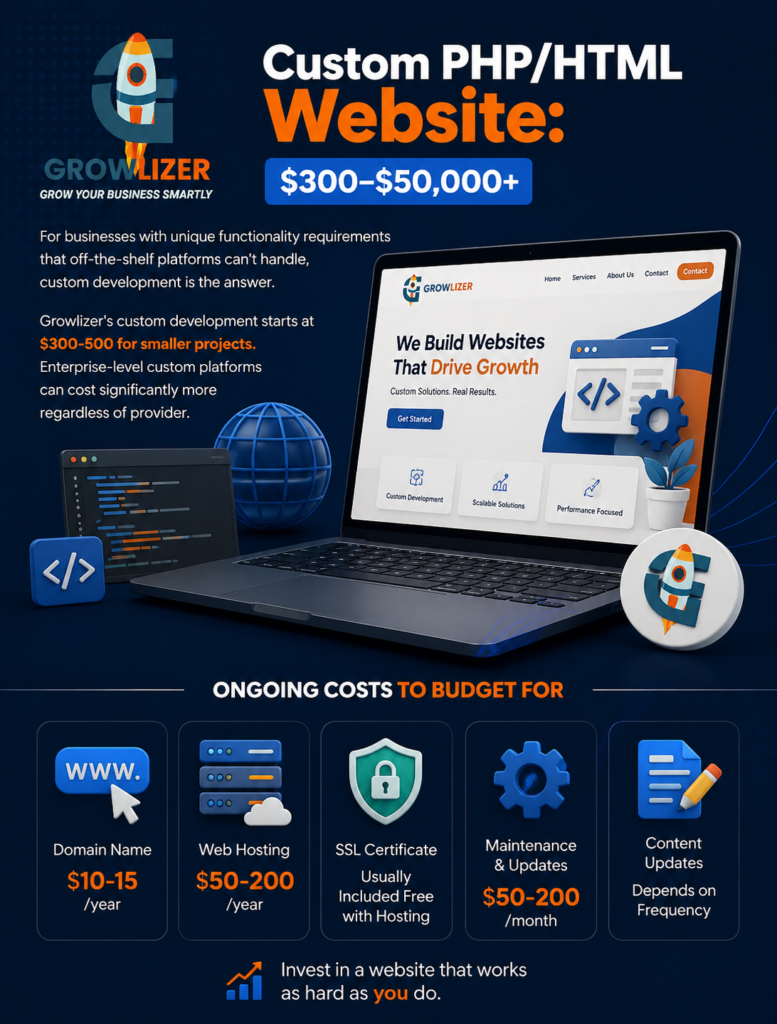
Custom PHP/HTML Website: $300–$50,000+

For businesses with unique functionality requirements that off-the-shelf platforms can’t handle, custom development is the answer. Growlizer’s custom development starts at $300-500 for smaller projects. Enterprise-level custom platforms can cost significantly more regardless of provider.

Ongoing Costs to Budget For

The website build is one-time, but don’t forget ongoing costs:
– Domain name: $10-15/year
– Web hosting: $50-200/year for good shared hosting
– SSL certificate: Usually included free with hosting
– Maintenance and updates: $50-200/month
– Content updates: depends on frequency

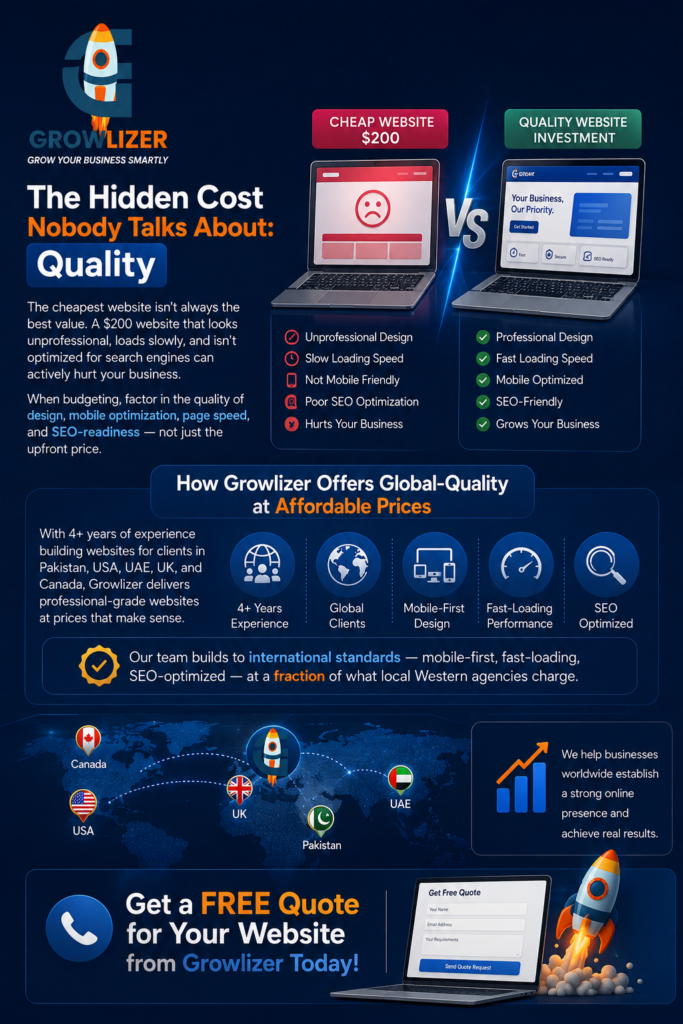
The Hidden Cost Nobody Talks About: Quality

The cheapest website isn’t always the best value. A $200 website that looks unprofessional, loads slowly, and isn’t optimized for search engines can actively hurt your business. When budgeting, factor in the quality of design, mobile optimization, page speed, and SEO-readiness — not just the upfront price.

How Growlizer Offers Global-Quality at Affordable Prices

With 4+ years of experience building websites for clients in Pakistan, USA, UAE, UK, and Canada, Growlizer delivers professional-grade websites at prices that make sense. Our team builds to international standards — mobile-first, fast-loading, SEO-optimized — at a fraction of what local Western agencies charge.

Get a free quote for your website from Growlizer today.

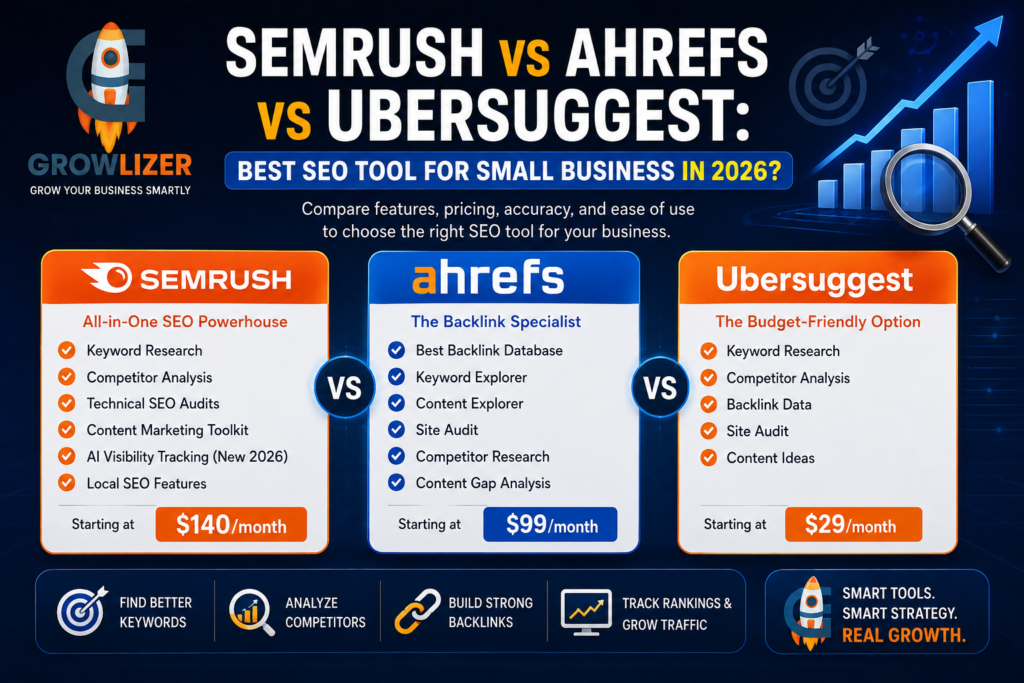
Semrush vs Ahrefs 2026 is one of the most searched SEO tool comparisons for small businesses looking to improve rankings and organic traffic.

Every business serious about SEO needs keyword research and analytics tools. But the three most popular options — Semrush, Ahrefs, and Ubersuggest — vary wildly in price, features, and what they’re best suited for.

Here’s a straightforward comparison built specifically for small and medium business owners who want to rank higher without spending a fortune.

Semrush — The All-in-One Powerhouse

Semrush is arguably the most comprehensive SEO platform available in 2026. It covers keyword research, competitor analysis, backlink auditing, site technical audits, content optimization, rank tracking, social media analytics, and paid advertising research — all in one dashboard.

What Semrush does best:

– Keyword research with detailed competition and volume data
– Competitor analysis — see exactly what keywords your competitors rank for
– Technical SEO audits — identifies and explains every issue on your website
– Content Marketing Toolkit — helps plan and optimize blog content
– AI visibility tracking — monitors how your brand appears in ChatGPT and Google AI answers (new in 2026)
– Local SEO features for Google Business Profile optimization

Semrush’s limitations:

– Expensive — starts at $140/month, which is steep for small businesses
– Can be overwhelming with so many features
– The free plan is very limited

Best for: Marketing agencies, serious in-house marketing teams, businesses investing heavily in SEO.

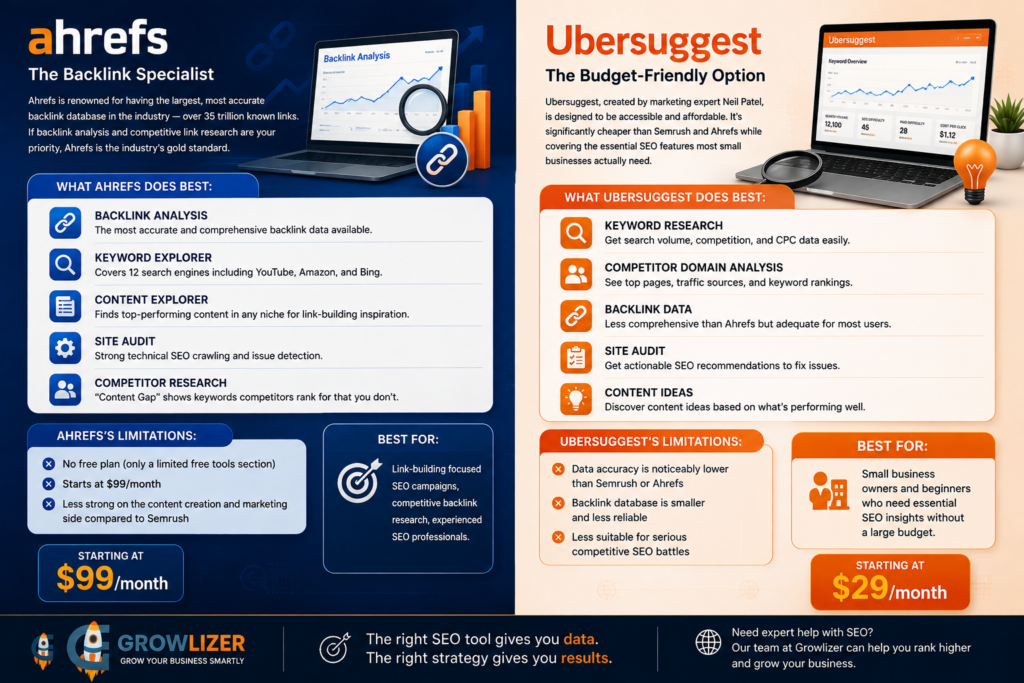
Ahrefs — The Backlink Specialist

Semrush vs Ahrefs 2026 is one of the most searched SEO tool comparisons for small businesses looking to improve rankings and organic traffic. Ahrefs is renowned for having the largest, most accurate backlink database in the industry — over 35 trillion known links. If backlink analysis and competitive link research are your priority, Ahrefs is the industry’s gold standard.

What Ahrefs does best:

– Backlink analysis (the most accurate and comprehensive available)
– Keyword Explorer — covers 12 search engines including YouTube, Amazon, and Bing
– Content Explorer — finds top-performing content in any niche for link-building inspiration
– Site Audit — strong technical SEO crawling
– Competitor research — “Content Gap” shows keywords competitors rank for that you don’t

Ahrefs’s limitations:

– No free plan (only a limited free tools section)
– Starts at $99/month
– Less strong on the content creation and marketing side compared to Semrush

Best for: Link-building focused SEO campaigns, competitive backlink research, experienced SEO professionals.

Ubersuggest — The Budget-Friendly Option

Ubersuggest, created by marketing expert Neil Patel, is designed to be accessible and affordable. It’s significantly cheaper than Semrush and Ahrefs while covering the essential SEO features most small businesses actually need.

What Ubersuggest does best:

– Keyword research with search volume, competition, and CPC data
– Competitor domain analysis
– Backlink data (less comprehensive than Ahrefs but adequate for most uses)
– Site audit with actionable recommendations
– Content ideas based on what’s performing well in your niche

Ubersuggest’s limitations:

– Data accuracy is noticeably lower than Semrush or Ahrefs
– Backlink database is smaller and less reliable
– Less suitable for serious competitive SEO battles

Best for: Small business owners and beginners who need essential SEO insights without a large budget.

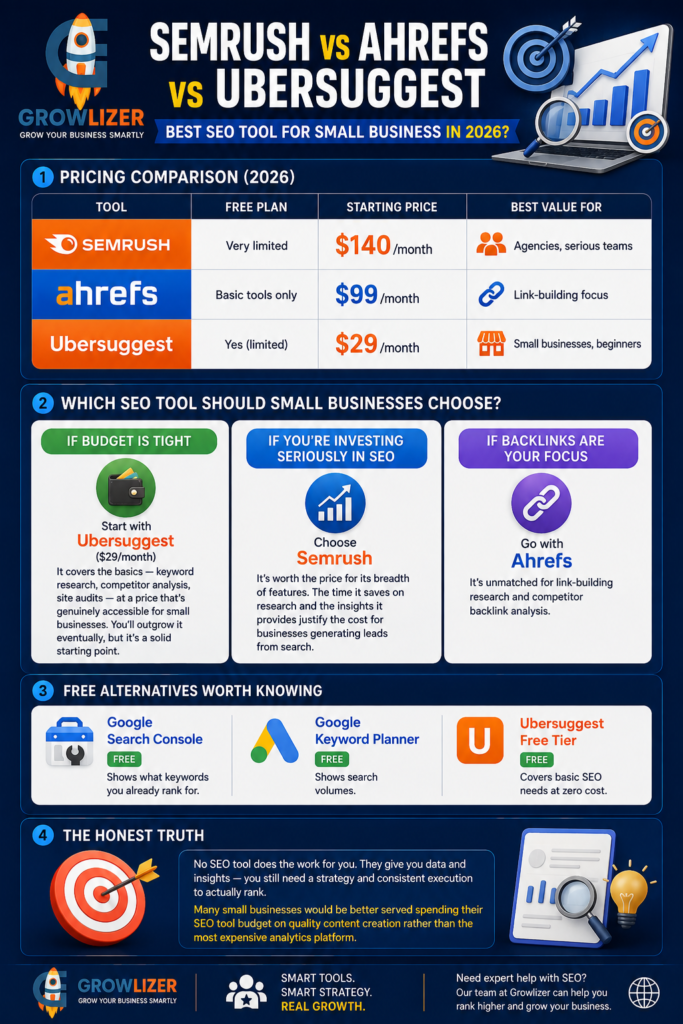
Pricing Comparison (2026)

ToolFree PlanStarting PriceBest Value For
SemrushVery limited$140/monthAgencies, serious teams
AhrefsBasic tools only$99/monthLink-building focus
UbersuggestYes (limited)$29/monthSmall businesses, beginners

Which SEO Tool Should Small Businesses Choose?

If budget is tight: Start with Ubersuggest ($29/month). It covers the basics — keyword research, competitor analysis, site audits — at a price that’s genuinely accessible for small businesses. You’ll outgrow it eventually, but it’s a solid starting point.

If you’re investing seriously in SEO: Semrush is worth the price for its breadth of features. The time it saves on research and the insights it provides justify the cost for businesses generating leads from search.

If backlinks are your focus:
Ahrefs is unmatched for link-building research and competitor backlink analysis.

Free alternatives worth knowing: Google Search Console (free, shows what keywords you already rank for), Google Keyword Planner (free, shows search volumes), and Ubersuggest’s free tier cover basic needs at zero cost.

The Honest Truth

No SEO tool does the work for you. They give you data and insights — you still need a strategy and consistent execution to actually rank. Many small businesses would be better served spending their SEO tool budget on quality content creation rather than the most expensive analytics platform.

At Growlizer, our SEO team uses professional tools to research and execute strategies for clients worldwide. You don’t need to buy the tools yourself — we handle everything. Contact us to learn more about our SEO packages.

Scroll to Top