Canva vs Illustrator vs Figma: Which Design Tool is Right for You in 2026?
Choosing the right design software can be difficult when Canva, Adobe Illustrator, and Figma all offer powerful features for different types of work. In this Canva vs Adobe Illustrator vs Figma comparison, we’ll look at ease of use, professional capabilities, pricing, collaboration, and the best use cases for each tool.
Whether you are a business owner, social media manager, graphic designer, or UI/UX designer, this guide will help you choose the right design tool for your needs in 2026.Canva vs Adobe Illustrator vs Figma: Which Design Tool is Right for You in 2026? Design tools have never been more accessible — or more confusing to choose between. Three names dominate the conversation in 2026: Canva, Adobe Illustrator, and Figma. Each serves different needs, and choosing the wrong one wastes time and money.
Here’s an honest, clear comparison so you can pick the right tool for your situation.
Canva — The Accessible Choice
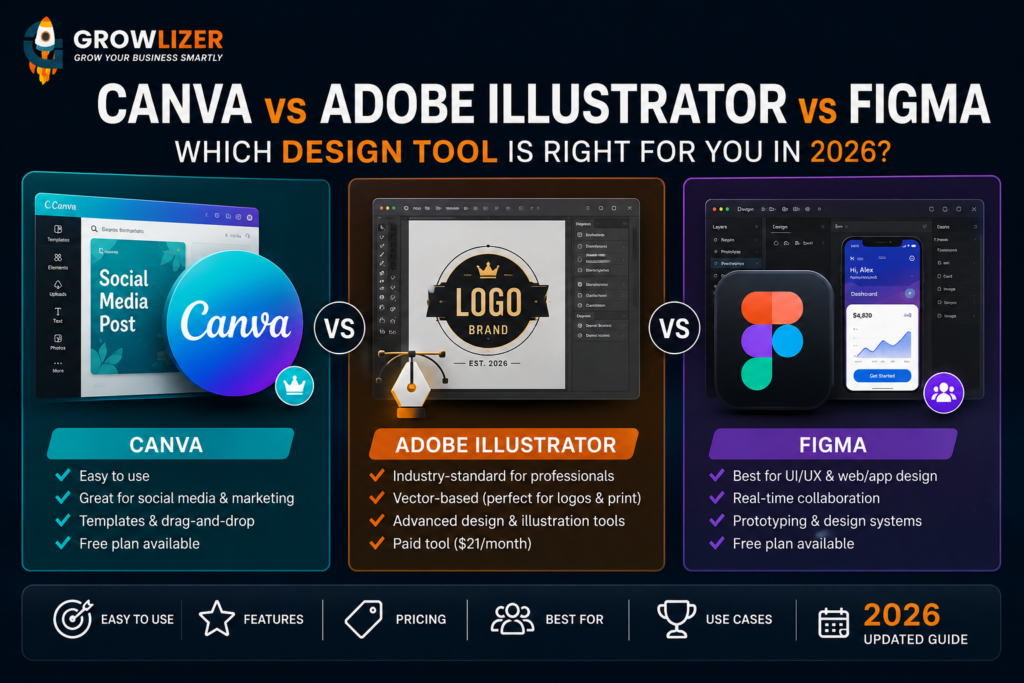
Canva is more limited than Adobe Illustrator when it comes to advanced vector editing, complex logo creation, and professional design workflows. Canva is a browser-based drag-and-drop design tool that requires zero design experience to produce good-looking results. In 2026, it has become the go-to tool for social media managers, small business owners, and marketers who need to create visuals quickly.
What Canva does well:
– Social media graphics (Instagram posts, Stories, Facebook covers)
– Presentations and slide decks
– Simple marketing materials (flyers, posters, basic brochures)
– Email headers and newsletter graphics
– Quick logo mockups (not professional logos)
– YouTube thumbnails and video content
Canva’s limitations:
– Cannot create true vector files suitable for professional printing
– Limited for complex, custom design work
– Templates can make brands look generic
– Not suitable for professional logo design — outputs are pixel-based
Pricing: Free plan available. Canva Pro at $15/month adds premium templates, brand kit, and background remover.
Adobe Illustrator — The Professional Standard
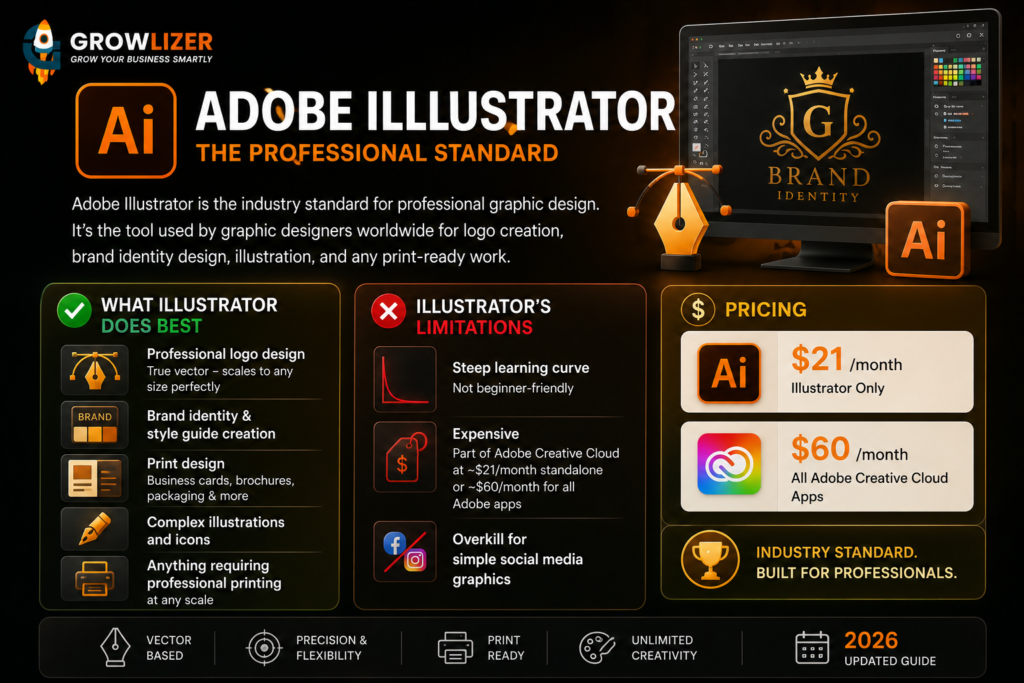
Adobe Illustrator is the industry standard for professional graphic design. It’s the tool used by graphic designers worldwide for logo creation, brand identity design, illustration, and any print-ready work.
What Illustrator does best:
– Professional logo design (true vector — scales to any size perfectly)
– Brand identity and style guide creation
– Print design (business cards, brochures, packaging)
– Complex illustrations and icons
– Anything requiring professional printing at any scale
Illustrator’s limitations:
– Steep learning curve — not beginner-friendly
– Expensive — part of Adobe Creative Cloud at ~$21/month standalone or ~$60/month for all Adobe apps
– Overkill for simple social media graphics
Pricing: $21/month for Illustrator only. $60/month for full Adobe Creative Cloud.
Figma — The Collaboration Champion
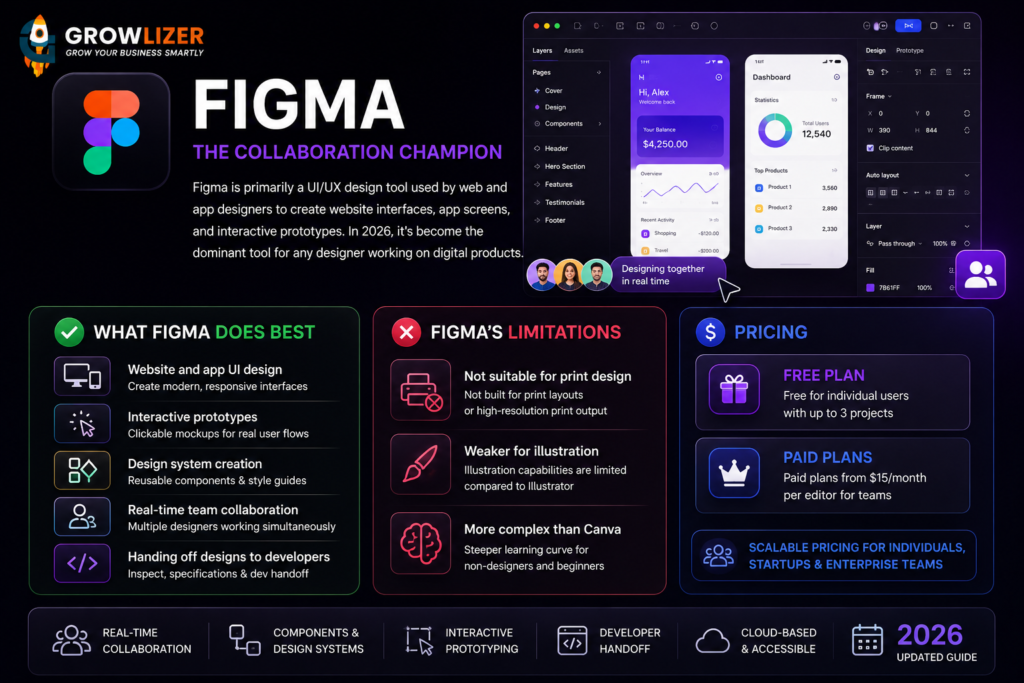
Figma is primarily a UI/UX design tool used by web and app designers to create website interfaces, app screens, and interactive prototypes. In 2026, it’s become the dominant tool for any designer working on digital products.
What Figma does best:
– Website and app UI design
– Interactive prototypes (clickable mockups)
– Design system creation (reusable components)
– Real-time team collaboration (multiple designers working simultaneously)
– Handing off designs to developers
Figma’s limitations:
– Not suitable for print design
– Weaker for illustration compared to Illustrator
– More complex than Canva for non-designers
Pricing: Free for individual users with up to 3 projects. Paid plans from $15/month per editor for teams.
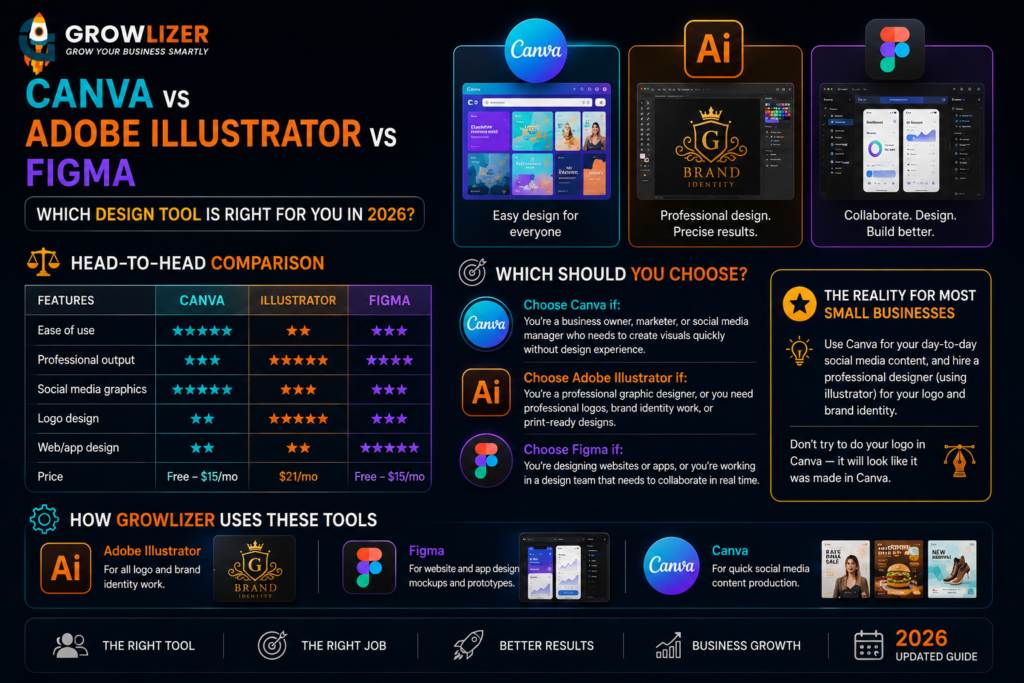
Head-to-Head Comparison
Canva vs Adobe Illustrator vs Figma: Which Design Tool is Right for You in 2026? Compare features, pricing, ease of use, and the best use cases for each.
| Canva | Illustrator | Figma | |
| Ease of use | ⭐⭐⭐⭐⭐ | ⭐⭐ | ⭐⭐⭐ |
| Professional Output | ⭐⭐⭐ | ⭐⭐⭐⭐⭐ | ⭐⭐⭐⭐ |
| Social media graphics | ⭐⭐⭐⭐⭐ | ⭐⭐⭐ | ⭐⭐⭐ |
| Logo design | ⭐⭐ | ⭐⭐⭐⭐⭐ | ⭐⭐⭐ |
| Web/app design | ⭐⭐ | ⭐⭐ | ⭐⭐⭐⭐⭐ |
| Price | Free-$15/mo | $21/mo | Free-$15/mo |
Which Should You Choose?
Choose Canva if: You’re a business owner, marketer, or social media manager who needs to create visuals quickly without design experience.
Choose Adobe Illustrator if: You’re a professional graphic designer, or you need professional logos, brand identity work, or print-ready designs.
Choose Figma if: You’re designing websites or apps, or you’re working in a design team that needs to collaborate in real time.
The reality for most small businesses: Use Canva for your day-to-day social media content, and hire a professional designer (using Illustrator) for your logo and brand identity. Don’t try to do your logo in Canva — it will look like it was made in Canva.
How Growlizer Uses These Tools
Our design team uses Adobe Illustrator for all logo and brand identity work, Figma for website and app design mockups, and Canva for quick social media content production. The right tool for the right job — every time.